

Guide
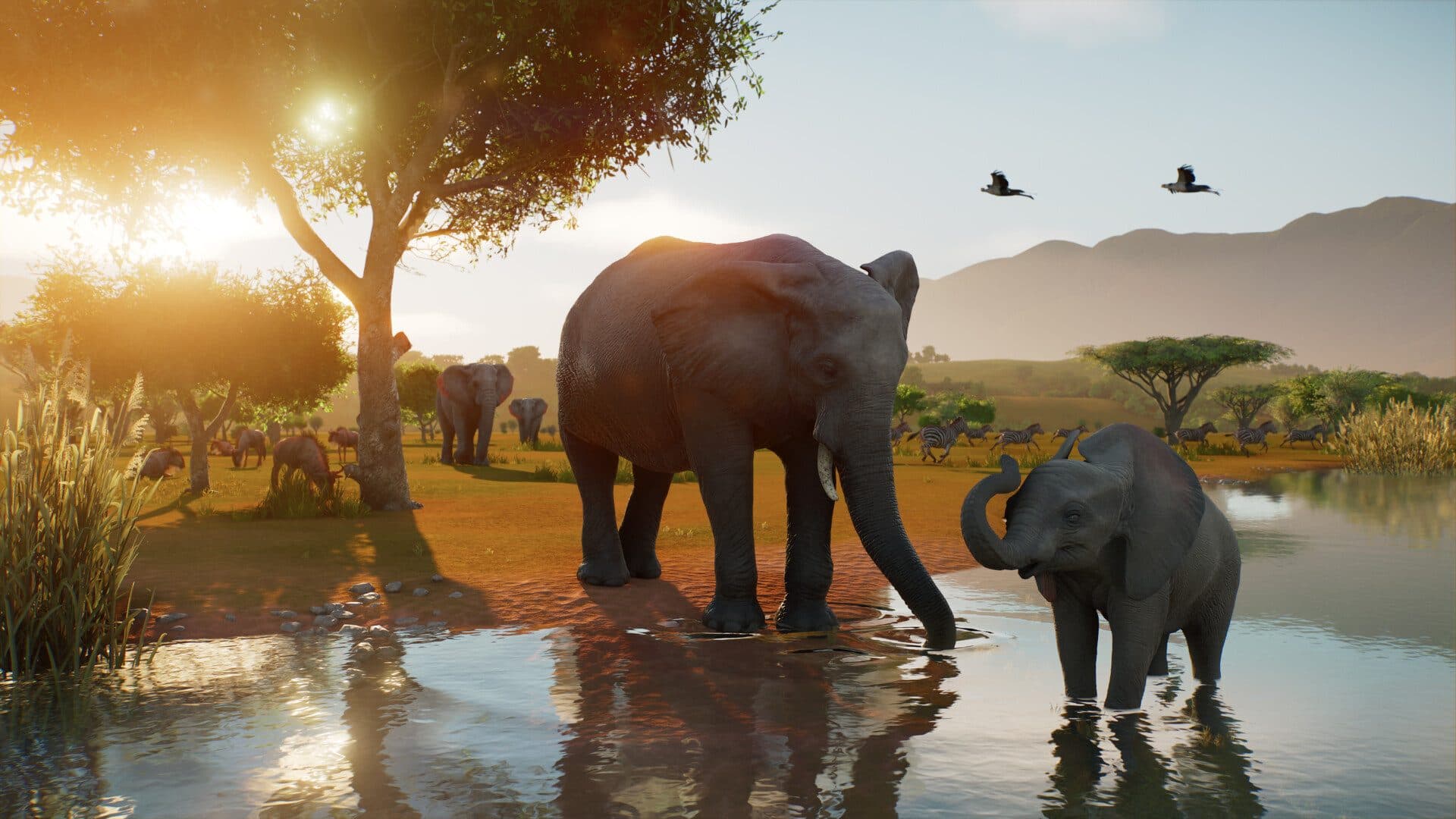
Planet Zoo 2 system requirements: what PC do you actually need?
What PC do you need for Planet Zoo 2? According to the Steam page, the minimum is an Intel i7-8700K or Ryzen 5 3600, 16 GB of RAM and an RTX 2060 6 GB. Recommended steps up to an i7-10700K or Ryzen 7 5800X with an RTX 3070, and Frontier only promises 30 fps on High there. The part that changes what you buy: per Frontier, the load grows with the number of animals and guests, and it hits the CPU harder than the GPU. Planet Zoo 2 launches on October 13, 2026 on PC (Steam, Windows only) at $49.99. A US tower that fits lands between $875 and $1,850 depending on how large you want your zoos to get.
Find your ideal PC on PC4Games
We match your games and budget with prebuilt Amazon PCs to surface the best-fitting configs.
How it works
Add your games
Your Steam library or a manual pick — you're in control.
Set your budget
From €400 to €2,000, you decide how much to spend.
Compare PCs
Score, specs and Amazon link — everything to choose with confidence.
Planet Zoo 2 minimum and recommended requirements on Steam
Here is the sheet as Frontier published it on Steam. RAM does not move between tiers (16 GB), and neither does storage (40 GB). What changes: the CPU goes from 6 to 8 cores, the GPU from an RTX 2060 to an RTX 3070, and the SSD becomes mandatory.
Frontier also spells out what each tier is worth in game on its official help page: minimum runs above 30 fps on Medium with a well built zoo, recommended holds 30 fps on High. There is no published 60 fps tier.
| Component | Minimum | Recommended |
|---|---|---|
| OS | Windows 10 or 11 (64-bit) | Windows 11 (64-bit) |
| CPU | Intel i7-8700K / AMD Ryzen 5 3600 | Intel i7-10700K / AMD Ryzen 7 5800X |
| RAM | 16 GB | 16 GB |
| GPU | RTX 2060 6 GB / RX 5600 XT 6 GB / Arc A750 8 GB | RTX 3070 8 GB / RX 6700 XT 12 GB / Arc A770 16 GB |
| Storage | 40 GB, SSD recommended | 40 GB, SSD required |
| Frontier’s stated target | Above 30 fps on Medium | 30 fps on High |
Why is Planet Zoo 2 CPU-bound before it is GPU-bound?
Frontier says it plainly on its help page: a creative management sim needs more processing power as the zoo fills up, and the graphics card matters less. The telltale sign, per the studio: lowering graphics settings does not change your frame rate.
In practice, a fresh zoo runs fine on almost any minimum-tier PC. The CPU starts to struggle hours later, once habitats, aquariums and paths are full. If your tower pairs a strong GPU with an old quad-core, that is where it shows.
Steam’s recommended tier asks for 8 cores (i7-10700K or Ryzen 7 5800X). A current Ryzen 7 7700 or Core i5-14600K clears that bar. To compare today’s chips, our best gaming CPU 2026 guide ranks them by price.
Will your Planet Zoo 1 PC run Planet Zoo 2?
Often not. Per the original Planet Zoo Steam page (2019), recommended was an i7-4770K or Ryzen 5 1600 with a GTX 1070. Both parts sit below the Planet Zoo 2 minimum.
Storage scales up too: 16 GB for the first game, 40 GB for the sequel, preferably on SSD. Only RAM stays put, at 16 GB recommended for both. If your PC was built around Planet Zoo 1, plan on at least a CPU and GPU upgrade.
| Component | Planet Zoo (2019) | Planet Zoo 2 (2026) |
|---|---|---|
| CPU | i7-4770K / Ryzen 5 1600 | i7-10700K / Ryzen 7 5800X |
| GPU | GTX 1070 / RX 580 8 GB | RTX 3070 / RX 6700 XT |
| RAM | 16 GB | 16 GB |
| Storage | 16 GB | 40 GB, SSD required |
| OS | Windows 10 | Windows 11 |
SSD, Windows 11 and laptops: the traps in the spec sheet
An SSD is recommended at minimum and required at recommended. On a hard drive, large parks load slowly and textures pop in late. If your PC still runs an HDD, it is the cheapest part to fix: our SSD vs HDD for gaming guide covers what to buy.
Windows 10 is listed at minimum, but Frontier warns on Steam that it cannot guarantee ongoing compatibility since Microsoft ended support. Recommended lists Windows 11 only.
On a laptop, Frontier suggests extra cooling so the CPU can hold its higher clocks. A laptop that runs hot throttles within minutes, and the CPU is exactly what matters here. To choose, read our desktop vs laptop for gaming comparison.
How much should a Planet Zoo 2 PC cost in the US?
Around $875, you cover the minimum with headroom: Ryzen 5 5600 or Core i5-12400F (both above a Ryzen 5 3600), 16 GB, an NVMe SSD and an RTX 3060 or RTX 4060. That is enough for mid-sized zoos on Medium.
Between $1,200 and $1,525, you reach Steam’s recommended tier: an 8-core such as the Ryzen 7 7700, 32 GB if a browser stays open, and an RTX 5060 Ti or RX 7700 XT. That is the right tier for large zoos on High. Filter those towers in the PC4Games comparison tool.
Up to $1,850, spend the extra on the CPU rather than the GPU. An RTX 4080 will not help a CPU-bound zoo. For memory, our how much RAM for gaming guide explains when 32 GB is worth it.
Standard or Deluxe Edition: does it change the requirements?
No. On Steam, the standard edition costs $49.99 and the Deluxe adds 6 extra animal species and decorative signs. Requirements are identical for both.
According to Steam, the game uses Denuvo Anti-tamper. The Frontier Workshop lets you download community blueprints, so keep a few gigabytes free beyond the 40 GB if you plan to grab a lot of them.
Frequently asked questions
What are the Planet Zoo 2 minimum PC requirements?
Per Steam (app 3219030, checked October 12, 2026): Windows 10 or 11, Intel i7-8700K or Ryzen 5 3600, 16 GB RAM, RTX 2060 6 GB / RX 5600 XT 6 GB / Arc A750 8 GB, DirectX 12, 40 GB. SSD recommended. Frontier targets above 30 fps on Medium in a built-up zoo.
What is the recommended spec for Planet Zoo 2?
Windows 11, i7-10700K or Ryzen 7 5800X, 16 GB, RTX 3070 8 GB / RX 6700 XT 12 GB / Arc A770 16 GB, DirectX 12, 40 GB, SSD required. Frontier only promises 30 fps on High. No 60 fps tier is published.
Why does the CPU matter more than the GPU?
Frontier says the load grows with animals and guests, and it hits the CPU harder. Lowering graphics settings often does not change the frame rate. An old quad-core with a strong GPU shows up once the zoo is full.
Will a Planet Zoo 1 PC run Planet Zoo 2?
Often not. The first game’s recommended row (i7-4770K / Ryzen 5 1600, GTX 1070) sits below the sequel’s minimum. Only RAM stays at 16 GB. Plan on a CPU and GPU upgrade, plus 40 GB on SSD instead of 16 GB.
Do I need an SSD and Windows 11?
SSD is recommended at minimum and required at recommended. Windows 10 is listed at minimum, but Frontier warns it cannot guarantee ongoing compatibility after Microsoft ended support. Recommended lists Windows 11 only.
How much should a US tower cost?
About $800 to cover the minimum with headroom (Ryzen 5 5600 or i5-12400F, 16 GB, SSD, RTX 3060 / 4060). $1,100–$1,400 for the recommended tier (8-core such as Ryzen 7 7700, maybe 32 GB, RTX 5060 Ti / RX 7700 XT). Above that, spend on the CPU, not a 4080.
Sources & methodology
How we wrote this guide
Cross-checked with the Steam Planet Zoo 2 page (app 3219030, launches October 13, 2026), Frontier’s help page (30 fps targets) and US street prices. Editorial update: October 12, 2026 (Steam specs rechecked).
An AI helps draft this article. Thomas Laize reviews it, checks official specs (Steam, vendors) and signs off on the recommendations.
- Steam minimum: i7-8700K / Ryzen 5 3600, 16 GB, RTX 2060 6 GB, 40 GB, SSD recommended, above 30 fps on Medium.
- Recommended: i7-10700K / Ryzen 7 5800X, RTX 3070, SSD required, 30 fps on High. No published 60 fps tier.
- The $800 / $1,100–$1,400 / $1,700 bands are a buying read, not an official Frontier row.

Similar articles
 Builds & budgets12 min read
CONTROL Resonant PC requirements: SSD first, then the GPU
Control Resonant PC requirements: SSD required, 16 GB RAM, GTX 1070 / Arc A580 min. Rec RTX 3060 Ti. US towers about $700–$1,700 (Sep 2026).
12 min readRead article Builds & budgets9 min read
Castlevania: Belmont's Curse system requirements: Windows 11, 16 GB
Castlevania Belmont's Curse system requirements: Windows 11, 16 GB, GTX 1650 min / RTX 3060 rec. Steam 10 GB, Konami 60 fps. PC builds $550–$1,100.
9 min readRead article Builds & budgets8 min read
AION 2 system requirements: can you run it if Steam stays on Low?
AION 2 system requirements: GTX 1050 Ti is Very Low, RTX 2070 is Low at 1080p. 8–16 GB, 100 GB, SSD advised. UE5 sky war, Steam app 3393110.
8 min readRead article Builds & budgets16 min read
WoW Forever system requirements: what PC do you need in 2026?
WoW Forever system requirements (Sep 2026): no official sheet yet. Aim SSD, 16 GB RAM, 4–6-core CPU, GTX 1650+. US budgets $300–$475 to $900–$1,150.
16 min readRead article Builds & budgets13 min read
What PC do you need for Silent Hill Townfall after September 23, 2026?
What PC for Silent Hill Townfall? Out since Sep 23, 2026. Steam RTX 2060 Super to 3080, 16–32 GB, Win11, 75 GB. Official 30 fps US towers: $800 to $1,800.
13 min readRead article Builds & budgets13 min read
What PC do you need for NBA 2K27 after September 3, 2026?
What PC for NBA 2K27? Out since Sep 3, 2026. Steam GTX 1060 5 GB to RTX 2070, 110 GB SSD, AVX2. Park and The City US towers: $550 to $1,400.
13 min readRead article
PC4Games
Take action with the comparator: pick your games, budget, then compare PCs.


Comments
Loading…
Sign in or create an account to comment on this article.