

Guide

Gaming desktop vs laptop: how to choose in 2026
After an r/buildapc thread or a Linus Tech Tips comment section, the question is rarely « which is faster » — it is whether your PC ever leaves your desk. RTX 50 Mobile laptops and 240 Hz panels closed much of the gap in 2026, but a tower still wins on FPS per dollar, sustained thermals, and swapping the GPU without junking the whole machine. A gaming laptop only pencils out when mobility is routine: dorm move-ins, split time between parents and campus, monthly LANs, or a studio apartment with no room for tower + monitor. Otherwise you are paying the portability tax — and the US retail trap of « RTX 4060 » on the box with no TGP watts in the bullet list. This guide uses July 2026 US price tiers and real buying paths (Amazon, Newegg, Micro Center, Best Buy), not generic spec sheets.
Find your ideal PC on PC4Games
We match your games and budget with prebuilt Amazon PCs to surface the best-fitting configs.
How it works
Add your games
Your Steam library or a manual pick — you're in control.
Set your budget
From €400 to €2,000, you decide how much to spend.
Compare PCs
Score, specs and Amazon link — everything to choose with confidence.
Desktop by default — unless the machine actually travels
Gaming desktop if you play at the same address four or more nights a week, with stable power and space for a tower plus monitor. Gaming laptop if you change housing often (dorm, sublet, internship) or haul gear to LANs without disassembling a tower.
The most common US mistake: buying a 7 lb laptop « just in case I travel » while it stays docked on a desk 95% of the time — you eat a 20–40% FPS penalty and a louder chassis for zero benefit.
List your Steam library and budget on the PC4Games comparator, then filter tower or laptop for the format you actually need.
| Situation | Format | Why it works |
|---|---|---|
| Apartment or house, dedicated desk | Desktop | Best FPS/$, GPU upgrades, pick any 24" 144 Hz panel |
| College dorm (10×12 ft) | Laptop (or mini-ITX) | One device, fewer cables than tower + monitor in a lofted bed setup |
| Split week: campus + parents' house | RTX 4060+ laptop | GPU locked at purchase — chase high TGP on the spec sheet |
| Monthly LAN with friends | Laptop or mini-ITX | Backpack vs suitcase of peripherals; plan power on site |
| Twitch / YouTube stream + AAA | Desktop | CPU/RAM headroom, quieter long sessions — see gaming PC streaming |
| First gaming PC, tight budget | Desktop | More FPS at $650–$875 than any laptop in the same aisle |
| WFH laptop by day, game at night | Desktop + cheap ultrabook | Often cheaper than one premium gaming laptop |
The Newegg trap: « RTX 5060 » on the box is not the whole story
On Amazon, Newegg, Best Buy, and Micro Center pages, an RTX 5060 Laptop and a RTX 5060 desktop share marketing copy — not power limits. TGP (Total Graphics Power) on mobile parts often spans 80 W to 140 W+ on the same GPU name: 15–40% FPS swing in AAA, per independent reviews.
Rough 1080p, high settings, July 2026 example: a $875 tower (Ryzen 5 7600 + RTX 4060/5060 desktop) often lands 55–70 FPS in *Cyberpunk 2077* without RT; an RTX 4060 Mobile laptop more often 40–55 FPS, sometimes lower after 30–45 minutes if the chassis cooks (common in a dorm without AC).
Before checkout: search « [exact model] TGP » or open the manufacturer PDF — not just the bold GPU line on the Costco bundle. In Valorant / CS2 / Fortnite the gap shrinks; at 1440p or with OBS running, it widens.
Same sticker price — who wins in real FPS?
July 2026 reference tiers (Amazon/Newegg promos, Micro Center bundles — stock swings daily). Desktop almost always leads at equal checkout price; add a monitor to the tower before calling the laptop « cheaper ».
| Budget | Desktop (typical) | Laptop (typical) | Gaming verdict |
|---|---|---|---|
| $650 | RX 6600 / RTX 3050 desktop, 16 GB | RTX 4050 / 3050 Mobile, 60–144 Hz screen | Desktop clearly in AAA |
| $875 | RTX 4060 / RX 7600, 16 GB | RTX 4060 Laptop (TGP ≥ 115 W if possible) | Desktop ~25–35% ahead in AAA |
| $1,100 | RTX 4060 Ti / RX 7700 XT | RTX 4070 Laptop (upper SKU) | Desktop for 1440p; laptop if mobility is non‑negotiable |
| $1,300+ | RTX 4070+, 32 GB, 1 TB NVMe | RTX 4070/4080 Mobile flagship | Desktop (upgrades + sustained FPS) |
Tower path: Micro Center deals, Amazon prebuilts, and DIY
Three US paths show up constantly: Micro Center in-store bundles (CPU+board discounts, same-day pickup), Amazon/Newegg prebuilts (iBuyPower, Skytech, CyberPower — read the GPU and PSU line by line), and DIY via PCPartPicker if you are comfortable with compatibility checks.
Structural wins: real airflow, full-watt desktop GPU, PSU sized for long peaks. Plenty of US gamers swap only the graphics card at year four — savings versus buying a second laptop outright.
Prebuilt traps at Best Buy and big-box sales: Core i7 headline with a GTX 1650 inside, 8 GB single-channel, or a 500 W no-name PSU. Cross-check mistakes when buying a gaming PC. Budget $175–$275 for a solid 1080p 144 Hz panel — see which gaming monitor.
When a gaming laptop earns its weight (dorm, dual-home, LAN)
The laptop wins when space and move-out day force an all-in-one: built-in panel, one power brick, backpack carry (2.2–2.8 kg / 4.8–6.2 lb for many 15.6" RTX 4060+ units).
Real trade-offs: soldered GPU/CPU, fans > 50 dB under load (normal, not a single bad unit), warm keys in summer. Game plugged in — unplugged runtime is often 1–2 hours, not handheld-console territory.
SKUs you will see at US retailers: ASUS TUF/ROG, Lenovo LOQ/Legion, MSI Thin/Cyborg, Acer Nitro. Target 16 GB minimum, NVMe SSD, 144 Hz for esports; 32 GB if Chrome, Discord, and the game stay open together. Use a cooling pad and clean intake vents every 6–12 months.
MUX, Optimus, and faking a desktop at your dorm desk
Many gaming laptops route the internal display through Intel/AMD iGPU (Optimus) to save battery — fine for class, but an external monitor may hit the dGPU faster on models with a MUX switch (check reviews for « MUX » or « Advanced Optimus »).
Practical dorm setup: laptop on a stand, USB-C or HDMI to a 24" 144 Hz monitor, external keyboard/mouse — you still paid the laptop premium, but ergonomics beat hunching over a 15.6" panel.
If you will never move the machine, skip the dock fantasy and buy a tower — you are not saving money by bolting peripherals onto a mobile chassis.
Heat, noise, and window AC in a small US apartment
A mesh mid-tower with two or three fans is usually quieter than a laptop at equal FPS — matters if the desk is in a living room or shared bedroom.
A gaming laptop in July/August without central AC: expect throttling after an hour of AAA — FPS can dip 5–15% versus the first ten minutes. A desktop heats the room too, but 1% lows often stay steadier on a tower.
| Factor | Desktop | Gaming laptop |
|---|---|---|
| Noise under load | Moderate with a decent case | Often loud — fans at max |
| FPS after 1 h (summer) | Usually stable | Throttling risk |
| Maintenance | Case dusting 1–2×/year | Intake vents, cooling pad |
| Peak draw | 200–350 W typical on desktop GPU | Capped by 180–330 W brick |
Mid-life GPU on eBay vs buying another laptop
Desktop: swap GPU, sometimes RAM/SSD — realistic lifespan 7–10 years with one mid-life upgrade ($300–500 on a used RTX card from eBay or Facebook Marketplace, or new on sale).
Laptop: RAM/SSD may expand; GPU is fixed. When AAA outgrows the chip, you buy a whole new machine — 3–5 years for demanding gaming.
Simple math: $900 tower + $400 GPU in year four often beats two $1,100 laptops — especially with 2026 component price swings.
OBS, Discord, and AAA on the same box
1080p/1440p gaming only: desktop still leads FPS per dollar. RTX 50 Mobile laptops are excellent for esports and many AAA titles at 1080p — but towers age better on 4 h+ sessions.
Editing / light 3D: desktops take 32 GB+, multiple NVMe drives, and long renders without saturating a thin chassis.
Streaming: NVENC works on NVIDIA desktop and mobile, but OBS + game eats CPU and RAM — desktops leave more thermal and acoustic margin. Details: streaming PC config.
July 2026 verdict — budget tier, then comparator
$650–$875: desktop default (RX 6600 / RTX 4060 class). Laptop only if transport is mandatory — see gaming PC around $850.
$1,100: desktop for comfortable 1440p; premium laptop if you have proven mobility needs — gaming PC around $1,050.
$1,300+: desktop RTX 4070+ and 32 GB; laptop only when nomadic use is documented, not hypothetical.
Short-list on the PC4Games comparator, read how to choose a gaming PC in 2026, and compare RTX 4060 vs RTX 3060 if you are stuck on GPU generation.
Frequently asked questions
Gaming desktop or laptop in the US in 2026?
Desktop by default if you mostly play at home: better FPS per dollar and a replaceable GPU. Laptop only with real mobility (dorm, split addresses, LAN) — otherwise you pay 20–40% more for fewer FPS. Check TGP watts on Newegg/Best Buy spec sheets.
How do I find TGP on a gaming laptop listing?
Search the exact model + « TGP » or open the manufacturer PDF (ASUS, Lenovo, MSI) — not just « RTX 4060 » in the title. The same GPU name can differ by 80 W to 140 W+, which is 15–40% FPS in AAA.
Micro Center prebuilt or DIY desktop?
Micro Center bundles are strong for CPU+board savings. Amazon/Newegg prebuilts (iBuyPower, Skytech) work if you verify GPU, PSU, and RAM. Either way, skip « Core i7 gaming » boxes with weak GPUs or 8 GB single-channel.
Desktop or laptop around $850?
At ~$850, favor a desktop RTX 4060 / RX 7600 with 16 GB for smooth 1080p, then budget a 144 Hz monitor ($160–270). A laptop only makes sense if you must carry the machine.
Is a gaming laptop worth it for college?
Yes if you move every year or split time between campus and home — one device for class and games. Target RTX 4060 Mobile minimum, high TGP, 16 GB, 144 Hz screen. If you game at one desk 95% of the time, tower + monitor is smarter.
Do I need a monitor with a gaming desktop?
Yes — plan $160–270 for a decent 1080p 144 Hz panel (AOC, MSI, Gigabyte on Amazon/Newegg). Laptops include a screen; add monitor cost when comparing fairly.
How long does a gaming laptop last?
About 3–5 years for demanding gaming — GPU is not upgradeable. A well-chosen desktop can run 7–10 years with one GPU swap (eBay, Facebook Marketplace, or new on sale).
Desktop or laptop for Twitch streaming?
Desktop is more comfortable: CPU/RAM headroom, cooling, and quieter OBS + game sessions. An RTX 4060+ laptop can stream 1080p via NVENC but runs hotter and louder on long streams.
Sources & methodology
How we wrote this guide
US desktop vs laptop comparison (July 2026): PC4Games editorial synthesis — mobile TGP, dorm/apartment profiles, Micro Center/Amazon tiers. FPS gaps are order-of-magnitude from press tests and OEM specs, not in-house benchmarks. Prices vary daily.
- Desktop vs mobile GPU distinction (same RTX marketing name, different power envelope).
- Budget tiers aligned with [gaming PC budget pages](/budget/pc-gamer-800-euros) and the PC4Games comparator.
Sources
- Steam Hardware Survey
GPU share among PC gamers.
- PC4Games methodology

Similar articles
 Comparisons14 min read
Best Prebuilt Gaming PC 2026: Which One Should You Buy?
Best prebuilt gaming PC in 2026: $700–$2,000 tiers, named GPUs, 16 GB RAM minimum, prebuilt vs custom, and how to filter Amazon builds with PC4Games (September 2026).
14 min readRead article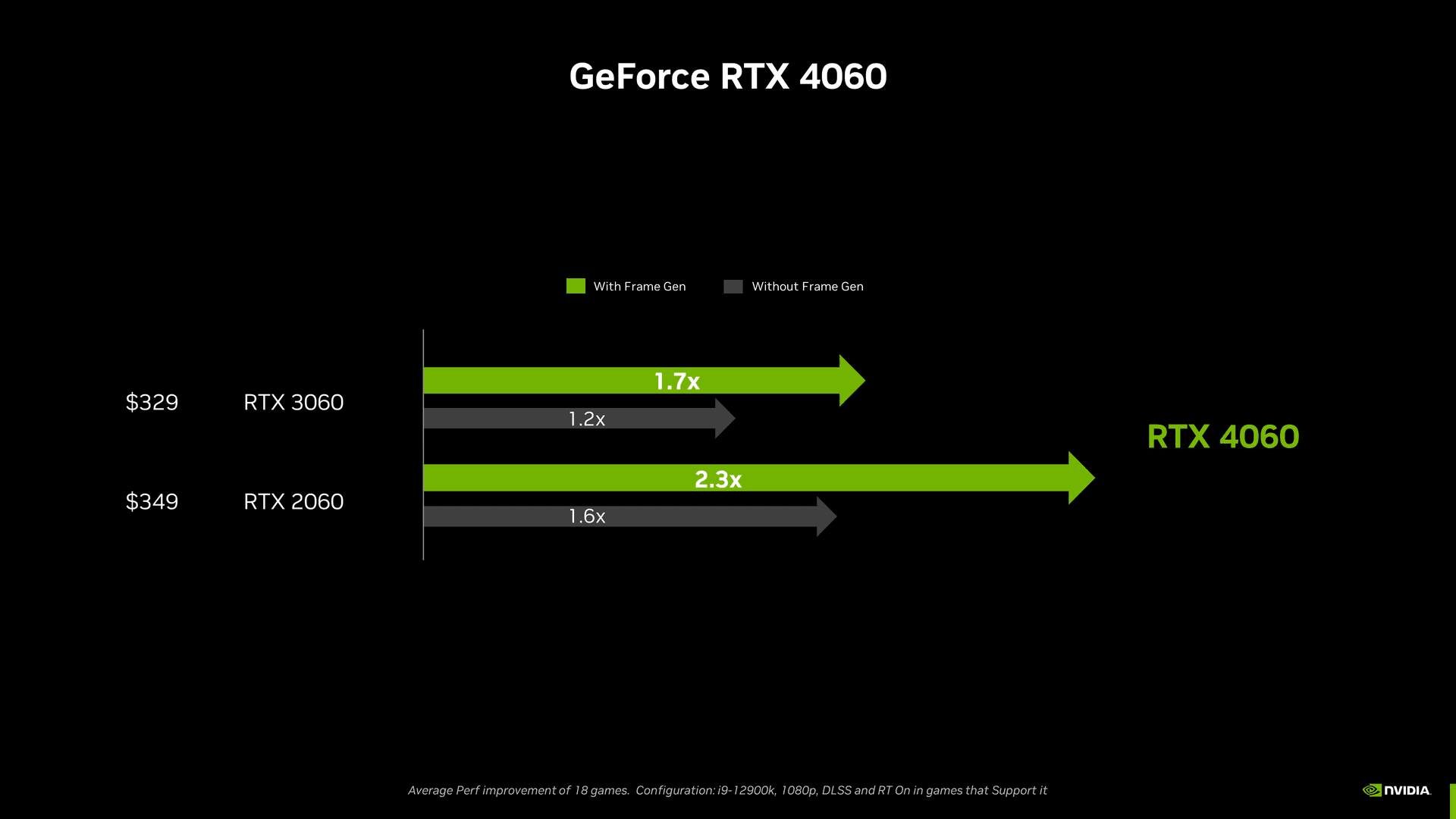 Comparisons12 min read
RTX 4060 vs RTX 3060 — new Ada on Newegg or a 12 GB Ampere pickup under $175?
RTX 4060 vs 3060 in the US: 1080p/1440p FPS, 8 vs 12 GB VRAM, DLSS 3, Newegg new vs eBay used. Worth the upgrade from a 3060 (September 2026)?
12 min readRead article- Comparisons16 min read
Gaming PC comparator: top 3 tools to pick your build in the US (2026)
PC4Games, PCPartPicker or a US retailer builder: which gaming PC comparator fits you in 2026? Table, prebuilt vs DIY and pitfalls (September 2026).
16 min readRead article  Comparisons9 min read
RTX 3080 vs RTX 3070 — pay ~$100 more for GA102, or stop at a clean 3070?
RTX 3080 vs 3070 on the US used market: 1080p/1440p FPS, 10 vs 8 GB VRAM, 320 W vs 220 W, eBay prices. When the extra $100 is worth it (September 2026).
9 min readRead article Comparisons9 min read
RTX 3070 vs RTX 3060 on the used market — what actually makes sense in 2026
RTX 3070 vs 3060 on the US used market: 1080p/1440p FPS, 8 vs 12 GB VRAM, eBay prices and mining flags. Which Ampere GPU fits your monitor (September 2026)?
9 min readRead article Comparisons13 min read
AMD or NVIDIA in 2026 — Team Red on Newegg or green badge at Micro Center?
AMD vs NVIDIA in the US, July 2026: ecosystem table by use case (stream, RT, Linux, VRAM), Amazon/Newegg/Micro Center and eBay pricing, RTX 50 vs RX 9000, buyer mistakes. Which brand for your setup?
13 min readRead article
PC4Games
Take action with the comparator: pick your games, budget, then compare PCs.


Comments
Loading…
Sign in or create an account to comment on this article.