

Guide
SSD or HDD for gaming in 2026: what to buy first
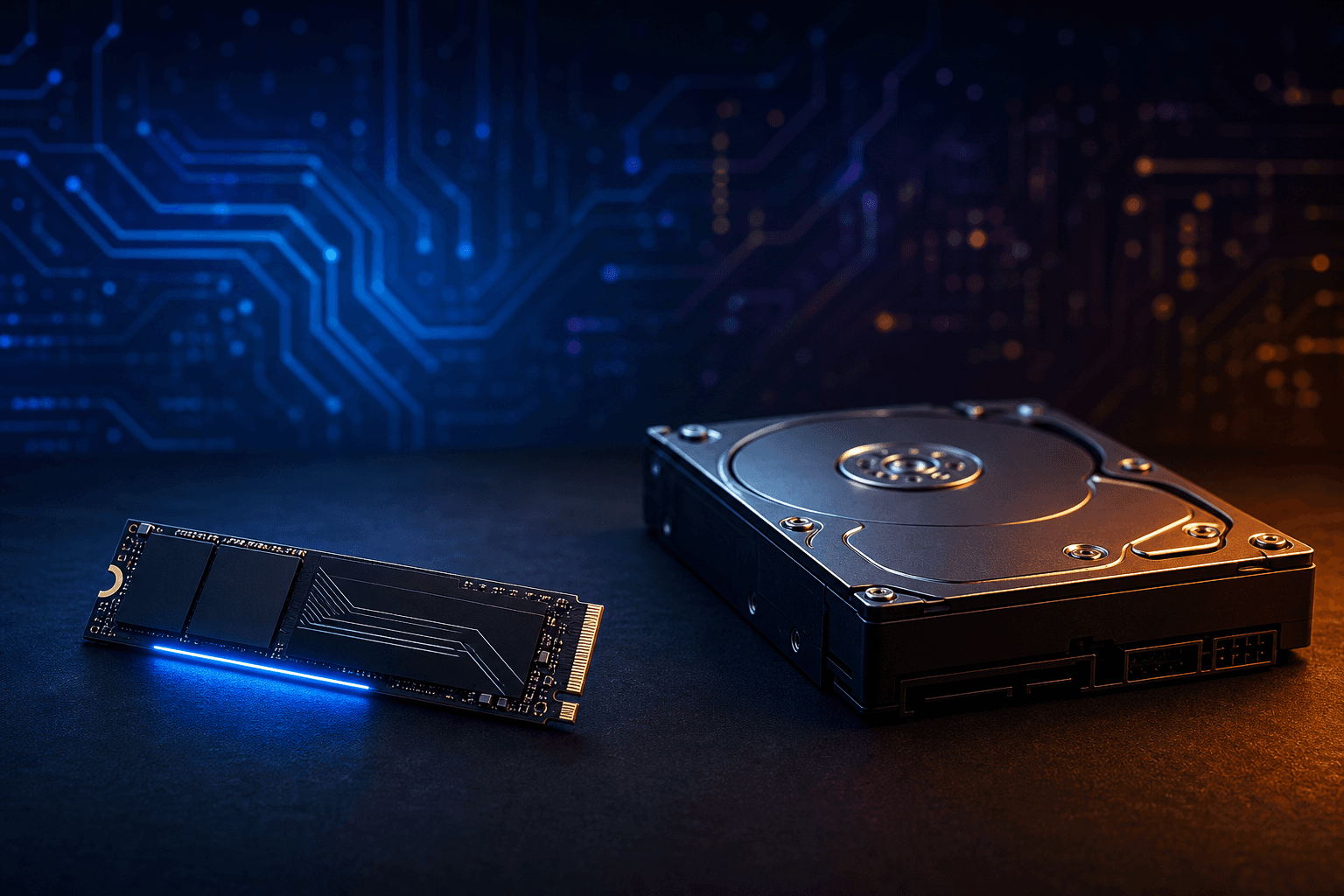
Can you still game on a hard drive in 2026? For Windows and your active Steam library, an SSD is mandatory. Recent AAA titles stream assets aggressively; an HDD-only setup stretches load screens and can cause hitching in open worlds. In September 2026, the practical US buy is one 1 TB NVMe (about $70–100 on Newegg, Amazon, or Micro Center) for the OS and games you actually play. Keep any HDD as secondary bulk storage only, never as the main game drive. If you already own an SSD and wonder about Gen3 vs Gen4 vs SATA, use the sibling guide NVMe vs SATA for gaming.
Find your ideal PC on PC4Games
We match your games and budget with prebuilt Amazon PCs to surface the best-fitting configs.
How it works
Add your games
Your Steam library or a manual pick — you're in control.
Set your budget
From €400 to €2,000, you decide how much to spend.
Compare PCs
Score, specs and Amazon link — everything to choose with confidence.
Why an HDD is no longer suitable as your main gaming drive
Loading times on a 7200 RPM hard drive run roughly 3–8× longer than on an SSD for modern titles. In *Baldur's Gate 3*, community and lab reports still show 90–120 seconds between dense areas on HDD versus 5–15 seconds on a competent NVMe. Multiply that across fast travel, deaths, and map hops and you burn real evening playtime, not just a loading screen.
It is not only the black screen between zones. Open-world and live-service games stream textures, audio, and geometry continuously. On an HDD you get pop-in, hitching when you enter a new district, and stutter while traversing. No graphics preset fixes a disk that cannot keep up with the streamer.
Several recent engines assume SSD-class speeds. DirectStorage titles (*Forspoken*, *Ratchet & Clank: Rift Apart*, and a growing UE5 AAA set through 2025–2026) list an SSD in the minimum requirements, not as a nice-to-have. If Steam or the publisher says SSD required, an HDD is a compliance fail, not a « budget option ».
US prebuilts on Amazon and Best Buy still hide a 256–512 GB SSD + large HDD combo behind marketing copy. Always check which drive letter holds the games: if Steam installs to D: on spinning rust, you are buying the wrong setup even when the box says « SSD included ».
| Game | HDD (7200 RPM) | SATA SSD | NVMe PCIe 4.0 |
|---|---|---|---|
| Baldur's Gate 3 (area load) | 90–120 s | 20–30 s | 5–15 s |
| Cyberpunk 2077 (initial load) | 60–90 s | 15–25 s | 8–12 s |
| Elden Ring (respawn) | 25–40 s | 8–12 s | 3–6 s |
| GTA V Online (session join) | 120–180 s | 45–70 s | 30–45 s |
NVMe vs SATA SSD: does the difference matter for gaming?
On paper, NVMe crushes SATA: about 3,500–7,000 MB/s versus ~550 MB/s. In games, load-time gaps are often only 10–30% because the CPU still decompresses assets. The jump you feel without a stopwatch is still HDD → any SSD, not SATA → Gen4.
In September 2026 on Newegg or Amazon, a solid 1 TB NVMe PCIe 4.0 (Samsung 990 EVO/PRO class, WD SN770 / SN850X, Crucial P3 Plus, Kingston NV3) typically lands $70–100, often within $10–25 of a 1 TB SATA drive. On a modern board with a free M.2 slot, there is little reason to buy new SATA for a gaming build.
Skip PCIe 5.0 for gaming alone: hotter, pricier, and no meaningful in-game edge over a good PCIe 4.0 drive today. Save that budget for 16–32 GB RAM or a GPU tier that actually moves FPS. Deep dive without rehashing this SSD-vs-HDD choice: NVMe vs SATA for gaming.
Which SSD capacity for gaming in 2026?
500 GB is the absolute floor. Windows Update, a browser profile, Discord, and 3–4 large installs fill it fast. Keep *Call of Duty* (often 200+ GB), *GTA* titles, or two live-service clients and you live at 95% full. Street price for a decent NVMe: about $45–70.
1 TB is the recommended default in 2026 for most US builders. Comfortable for a rotating library of current games without constant uninstalls. Expect $70–100 for mainstream PCIe 3.0/4.0 NVMe on Newegg or Amazon.
2 TB pays off if you hoard games, keep several live-service titles installed, or edit/record on the same machine. Typical street range: $110–160. Per-GB cost versus two 1 TB drives is usually small once you factor cables, slots, and clutter.
Practical tip: keep Windows and active games on the SSD. Uninstall instead of living at 95% capacity. On US fiber, re-downloading often beats juggling a packed drive or installing AAA titles on an HDD « because there is space ».
Do you need both an HDD and an SSD for gaming?
You need an SSD for gaming. You do not need an HDD to play well. A single 1 TB NVMe is enough for Windows plus the games you rotate through. Add an HDD only when you have a clear bulk-storage job.
A 4 TB HDD (about $80–110) still makes sense for Shadowplay/OBS recordings, clips, photo/video archives, backups, and older lightweight titles you rarely launch. Point capture folders to D: so the SSD stays free for installs and shaders.
On a tight new-build budget, one 1 TB NVMe beats a 500 GB SSD + HDD combo. That combo is a common trap on Amazon and Best Buy listings that look « big » on paper. Buy bulk storage later when recordings or media actually fill the primary drive.
If hitching persists after moving games to SSD, check RAM next: 8 GB systems swap to disk and feel like storage problems. See how much RAM for gaming.
Storage setup by budget (US, September 2026)
Entry build ($500–700 tower): one 1 TB NVMe only. Install Windows and keep a small rotation of current games. Skip the HDD until you record or archive media.
Mid-range ($800–1,200): 1–2 TB NVMe PCIe 4.0. Add a 4 TB HDD only if you capture long sessions or store large media libraries. Prefer dual-channel 16 GB RAM before chasing PCIe 5.0 storage.
High-end ($1,500+): 2 TB NVMe primary, optional second NVMe for a dedicated capture/project drive, or a large HDD for cold archives. PCIe 5.0 remains optional for gaming in 2026.
Cross-check the whole PC (GPU + storage + RAM) on the PC4Games comparator, browse SSD accessories, and compare live SKUs on Newegg or Micro Center before checkout. Storage is cheap enough that undersizing the boot drive is rarely worth the savings.
Common mistakes and checklist
Mistake 1: installing active games on the HDD « because I have space ». You pay in load times, hitching, and DirectStorage readiness.
Mistake 2: buying a 500 GB SSD for a 50-game Steam library. Windows, shaders, and one recent AAA fill it. Many prebuilts advertise a large HDD while games land on a tiny SSD.
Mistake 3: spending on PCIe 5.0 while still on 8–16 GB single-stick RAM or a weak GPU. Fix bandwidth and RAM first.
Mistake 4: ignoring firmware / chipset drivers after a fresh Windows install on a new M.2 drive. Rare, but updated NVMe firmware can stabilize peak performance.
Checklist: 1 TB NVMe minimum for OS + active games · games not on HDD · 16 GB RAM to limit swap · optional HDD on D: for archives only · compare NVMe vs SATA only after the HDD question is settled (NVMe vs SATA guide).
Frequently asked questions
SSD or HDD for gaming in 2026: which should I buy?
SSD (ideally 1 TB NVMe) for Windows and all active games. HDD only as secondary storage (backups, clips, media). Gaming on HDD alone in 2026 means long loads and possible stutter in open worlds.
Do you need both an HDD and an SSD for gaming?
You need an SSD. An HDD is optional bulk storage, not required to play well. A single 1 TB NVMe covers Windows plus a rotating game library; add a 2–4 TB HDD later for recordings and archives if needed.
Can you still play games on a hard drive?
Technically yes for older or light titles, but not recommended for recent AAA games. Loads are 3–8× slower and some DirectStorage games require an SSD. Use the HDD for archives, not your main library.
500 GB or 1 TB SSD for a gaming PC?
1 TB is the comfortable minimum in 2026 ($70–100 NVMe on Newegg/Amazon). 500 GB only fits Windows + 3–4 games, too tight with *CoD*, *GTA*, or multiple live-service titles. 2 TB ($110–160) if you rarely uninstall.
Is NVMe SSD required for gaming?
Not always on paper, but strongly recommended. SATA SSD is still acceptable; NVMe M.2 is the default on new boards and future-proofs DirectStorage titles. HDD-only is no longer a serious system-drive choice.
Can an HDD be a second drive in a gaming PC?
Yes: 2–4 TB HDD for movies, backups, OBS/Shadowplay recordings, and rarely played games. Ideal setup: 1 TB NVMe (C:) + HDD (D:) for bulk.
Does an SSD improve FPS?
Little impact on average FPS, but a big impact on smoothness: shorter loads, fewer micro-freezes, and less pop-in in open worlds. The GPU still rules raw FPS; the SSD stops the disk from limiting the experience.
What storage budget for a new gaming PC?
Plan $70–100 for a reliable 1 TB NVMe (Samsung 990 class, WD SN770, Crucial P3 Plus, Kingston NV3). Add $80–110 for a 4 TB HDD only if you record or store large media libraries.
Which SSD brands for gaming?
PCIe 3.0/4.0: Samsung 990, WD Black SN770 / SN850X, Crucial P3 / P5 Plus, Kingston NV3. SATA if needed: Samsung 870 EVO, Crucial MX500. Skip no-name drives without warranty. See SSD PC accessories.
SSD vs HDD: impact on load times?
Example *Baldur's Gate 3*: 90–120 s on HDD vs 5–15 s on NVMe between areas. *Cyberpunk 2077*: 60–90 s vs 8–12 s at launch. The guide table covers more titles.
Sources & methodology
How we wrote this guide
PC4Games storage guide (updated September 14, 2026). Load times from community reports and independent tests; US prices cross-checked on Newegg/Amazon/Micro Center; aligned with the NVMe vs SATA guide and SSD accessory pages.
- HDD / SATA / NVMe comparison on AAA and live-service games 2024–2026.
- 500 GB / 1 TB / 2 TB capacities mapped to typical Steam install sizes and US prebuilt traps.
- Updated when DirectStorage requirements or game install sizes shift significantly.

Similar articles
 Components8 min read
NVMe vs SATA for gaming: what you feel at the desk, not on the spec sheet
NVMe or SATA for a gaming PC in 2026? Real load times, CPU bottlenecks, Gen3 vs Gen4 pricing on Newegg/Amazon, DirectStorage titles, M.2 traps, and when to upgrade GPU instead.
8 min readRead article Components12 min read
GPU gaming benchmark 2026: which cards hold 1080p, 1440p and 4K?
GPU gaming FPS tables August 2026: RTX 50, RX 9000, 1080p/1440p/4K, AAA and e-sport. PC4Games methodology, Tom's Hardware and TechPowerUp sources.
12 min readRead article- Components11 min read
CPU gaming benchmark 2026: which processor maximizes your FPS?
CPU gaming FPS tables August 2026: Ryzen 7800X3D, 9800X3D, i5-14600K, 1080p/1440p, CPU-bound games. PC4Games methodology, Tom's Hardware and TechPowerUp.
11 min readRead article  Components7 min read
What power supply do you need for a gaming PC in 2026?
What power supply do you need for a gaming PC in 2026? Wattage by GPU (RTX 4060 to RTX 5070), 80 Plus certifications, ATX 3.0, modular vs non-modular, and the mistakes that kill components.
7 min readRead article Components8 min read
Gaming PC wattage: size your PSU without the spreadsheet guesswork
How many watts does your gaming PC need in 2026? US sizing worksheet, RTX 50 / RX 9000 tables, +12V amps, ATX 3.1 spikes, GPU-only upgrades, and prebuilt traps on Amazon & Best Buy.
8 min readRead article Components13 min read
How much RAM for a gaming PC in 2026: 8, 16, or 32 GB?
8, 16, or 32 GB RAM for gaming in 2026? Capacity by game, DDR4 vs DDR5, dual-channel, Amazon/Newegg prebuilt traps, XMP/EXPO, and when 32 GB pays off.
13 min readRead article
PC4Games
Take action with the comparator: pick your games, budget, then compare PCs.

Comments
Loading…
Sign in or create an account to comment on this article.