

Guide
What are the characteristics of a high-performance computer?
There are many PC models on the market: basic office PCs, powerful gaming or 3D PCs. They are not equal — a high-performance computer is one that fits what you ask it to do. This guide answers “What are the characteristics of a high-performance computer?”.
Find your ideal PC on PC4Games
We match your games and budget with prebuilt Amazon PCs to surface the best-fitting configs.
How it works
Add your games
Your Steam library or a manual pick — you're in control.
Set your budget
From €400 to €2,000, you decide how much to spend.
Compare PCs
Score, specs and Amazon link — everything to choose with confidence.
What are the characteristics of a high-performance computer?
In one line: a high-performance PC runs your software without annoying slowdowns, with a suitable CPU, enough memory (16 GB minimum for modern gaming), fast storage (NVMe SSD), and — when needed — a GPU that matches the workload. Power must fit the task: an office PC does not need an RTX 4090; a modern gaming PC cannot rely on entry-level CPU/GPU for latest AAA titles.
Concrete signs: short load times, stable FPS (no constant micro-stutter), smooth multitasking (browser + game + Discord), and 2–3 years of usable headroom without replacing everything.
What is a high-performance computer?
A high-performance computer runs the programs you need smoothly — games, video editing, 3D — without staying pegged at 100% load all the time.
The idea depends on the goal. A PC with a basic CPU and GPU can handle web and documents; it is not high-performance for latest games or 4K editing because it is not built for those loads. Performance = right hardware for the job, not “most expensive possible.”
What is a computer made of?
To understand performance characteristics, know the main blocks:
Motherboard — connects everything. CPU — the “brain,” Intel or AMD. GPU — display and 3D rendering for games. RAM — active memory; 16 GB is the 2026 gaming baseline. Storage — NVMe SSD recommended; HDD optional for bulk files. PSU — sized for GPU/CPU (80+ Bronze minimum). Cooling — air or liquid, stabilizes clocks. Case — tower (desktop) or laptop chassis. Display — size in inches, refresh rate (Hz) matters for gaming. OS — Windows 11 dominates gaming PCs.
Desktops: tower + monitor. Laptops: integrated chassis (weight and battery become “mobile performance” factors). All-in-ones: screen + unit in one box — often neat, rarely best gaming value per euro.
Performance characteristics for gaming (2026)
The more components fit gaming, the better the PC performs in games — with one rule: the GPU usually leads. A credible gaming laptop pairs a dedicated GPU (RTX 3060 / RX 6600 minimum), recent CPU (Ryzen 5 / Core i5), and 16 GB+ RAM in dual-channel.
For 3D, editing, or heavy titles, do not skimp on storage: 1 TB NVMe avoids a full disk. Office-only PCs do not need a flagship GPU — again, match hardware to use.
On laptops: check weight if you travel, and battery life (mobile GPUs often draw less — performance below an equivalent desktop).
PC4Games definition of a good gaming PC in 2026: popular games at target resolution (1080p, 1440p, or 4K) with stable FPS (60+ minimum, 100+ for competitive shooters), no severe bottleneck, for 2–3 years. Excludes: integrated graphics only, under 16 GB RAM, no SSD.
Desktop vs laptop vs all-in-one
Desktop tower: best performance per euro, better cooling, upgradable parts (RAM, SSD, GPU depending on board). Recommended for a lasting gaming PC.
Gaming laptop: mobility at the cost of limited mobile GPU power (TGP), heat, noise, little upgradability.
All-in-one: compact; gaming performance usually behind a tower at the same budget.
Performance tiers by resolution and use
1080p comfort (60 FPS stable): min. RTX 3060 / RX 6600, Ryzen 5 5600 / Core i5-12400, 16 GB dual-channel RAM, NVMe SSD. Budget ~$775 – $975.
1080p competitive (144–240 FPS): RTX 4060 Ti / RX 7700 XT, Ryzen 5 7600 / Core i5-13600K, 16–32 GB RAM. Budget ~$1100 – $1525.
1440p Ultra (60–100+ FPS): RTX 4070 / RX 7800 XT, 32 GB RAM often useful. Budget ~$1300 – $1950 — 2026 sweet spot.
4K Ultra (60+ FPS): RTX 4080 / RX 7900 XTX, high-end CPU, 32 GB RAM. Budget $2,175+.
The 4 components that define a good gaming PC
1. GPU — FPS and visuals; target 60–70% of gaming budget. 2026 minimum: RTX 3060 / RX 6600 for 1080p.
2. CPU — balanced with GPU (Ryzen 5 7600 / Core i5-13600K for most cases). CPU bottleneck shows at 240+ FPS or CPU-heavy open worlds.
3. RAM — 16 GB dual-channel minimum; 32 GB for stream / heavy modding. Dual-channel: +5–15% FPS vs single stick.
4. NVMe SSD — 1 TB recommended; without fast SSD, not a good 2026 gaming PC.
Marketing traps to avoid
“Gaming PC i9 + RTX 4060”: oversized CPU — money buys more FPS as RTX 4070 / 4070 Super.
“32 GB RAM gaming” with no GPU detail: often 0–2% more FPS vs 16 GB in pure gaming.
“8-core CPU” with no GPU model: useless if the card is GTX 1650 or iGPU.
Skip listings that say “high-performance computer” or “gaming PC” without naming the exact GPU.
How to verify a PC before you buy
1. List your main games and check Steam recommended specs. 2. Compare the PC’s GPU to benchmarks at your resolution. 3. Check CPU/GPU balance plus NVMe SSD and 16 GB RAM minimum.
The PC4Games comparator matches your games, budget, and resolution to coherent Amazon builds — not a generic “gaming” label.
Frequently asked questions
What are the characteristics of a high-performance computer?
A high-performance PC pairs hardware with the workload: enough CPU and GPU for your apps, 16 GB+ RAM in dual-channel for modern gaming, NVMe SSD for fast loads, a properly sized PSU (80+ Bronze minimum), and stable cooling. Raw power that does not match the task (e.g. flagship GPU for office-only use) is not useful “performance.”
What is a high-performance computer?
A machine that runs the programs you need smoothly: no constant stutter, no excessive load times, no recurring freezes. For games that means stable FPS at your target resolution; for office work a recent CPU and SSD are often enough without a discrete GPU.
What is a good gaming PC in 2026?
PC4Games baseline: dedicated GPU at least RTX 3060 / RX 6600, 16 GB dual-channel RAM, 1 TB NVMe SSD, balanced CPU (Ryzen 5 5600 / Core i5-12400F or newer), stable FPS (60+ at 1080p AAA, 100+ for competitive shooters) for 2–3 years after purchase.
What is a computer made of?
Essential blocks: motherboard, CPU, GPU, RAM, storage (SSD/HDD), PSU, cooling, case, display, and OS. Laptops and all-in-ones integrate everything; desktops split the tower and monitor.
Do you always need a powerful graphics card?
No. Office and browsing: integrated graphics or entry GPU is enough. Modern games, 4K editing, or 3D: discrete GPU required. An unbalanced “gaming” PC (i9 + RTX 4060) is still GPU-limited in games.
16 GB or 32 GB RAM for gaming?
16 GB dual-channel is the credible 2026 minimum for most games. 32 GB helps streaming, heavy multitasking, modding, or a 3–4 year 1440p/4K horizon — often only 0–2% more FPS in pure gaming vs 16 GB.
Sources & methodology
How we wrote this guide
This article states objective PC4Games criteria (resolution, FPS, CPU/GPU balance) from public benchmarks, manufacturer specs, and Amazon catalogue checks — not identical FPS on every listed PC.
- GPU/CPU tiers: 2026 references aligned with the Steam Hardware & Software Survey and Steam “recommended” specs for popular titles.
- Euro budgets: indicative ranges from the PC4Games comparator and Amazon prebuilts (June 2026).
- Dual-channel RAM, NVMe SSD, 80+ PSU: from PC4Games methodology and on-site component guides.
- Editorial update: 2 June 2026 — verify prices and GPU models before purchase.

Similar articles
 Buying tips14 min read
GTA 6 news September 2026: Extended Look, Twitch, and pricing
GTA 6 Sept 2026: Extended Look on Netflix (Aug 27), Twitch outage, YouTube gameplay, official trailer, $79.99 pricing, console launch November 19.
14 min readRead article Buying tips16 min read
How to choose a gaming monitor in 2026: 1080p vs 1440p
How to choose a gaming monitor in 2026: 1080p 144 Hz from $180 for esports, or 1440p from $280 for AAA. Match Hz to your GPU before you buy.
16 min readRead article Buying tips28 min read
Best free PC games in 2026 (Steam, Epic, Riot)
Best free PC games 2026: 28 official F2P (Fortnite, CS2, Valorant…). US 1080p budgets $450–875, store links and a free PC picker. September 2026.
28 min readRead article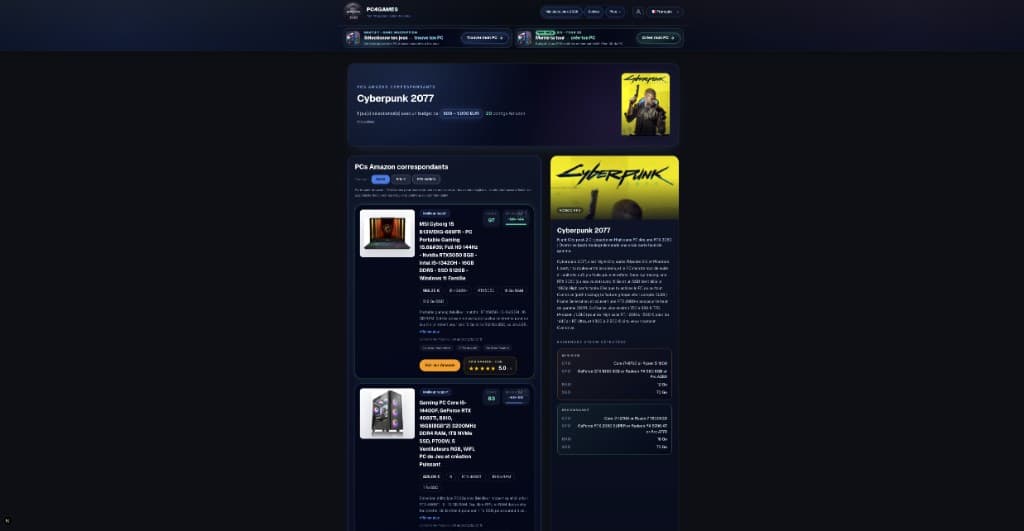 Buying tips15 min read
How to choose a gaming PC in 2026 (US): method by player profile
Best gaming PC 2026: how to choose by FPS, 1440p, streaming, CPU/GPU/RAM and budget. US method with Amazon, Newegg and PC4Games.
15 min readRead article Buying tips12 min read
Is Pokémon Champions on PC in 2026?
Is Pokémon Champions on PC? No Steam or Windows client in September 2026. Switch, Switch 2, iOS, Android only. Emulator risks and safe download sources.
12 min readRead article Buying tips14 min read
Upgrade a gaming PC in 2026: GPU first, then RAM
Upgrade a gaming PC in 2026: GPU first, then RAM or SSD. US parts $80–$350, socket/PSU checks, and when a new Amazon prebuilt wins.
14 min readRead article
PC4Games
Take action with the comparator: pick your games, budget, then compare PCs.


Comments
Loading…
Sign in or create an account to comment on this article.