

Guide
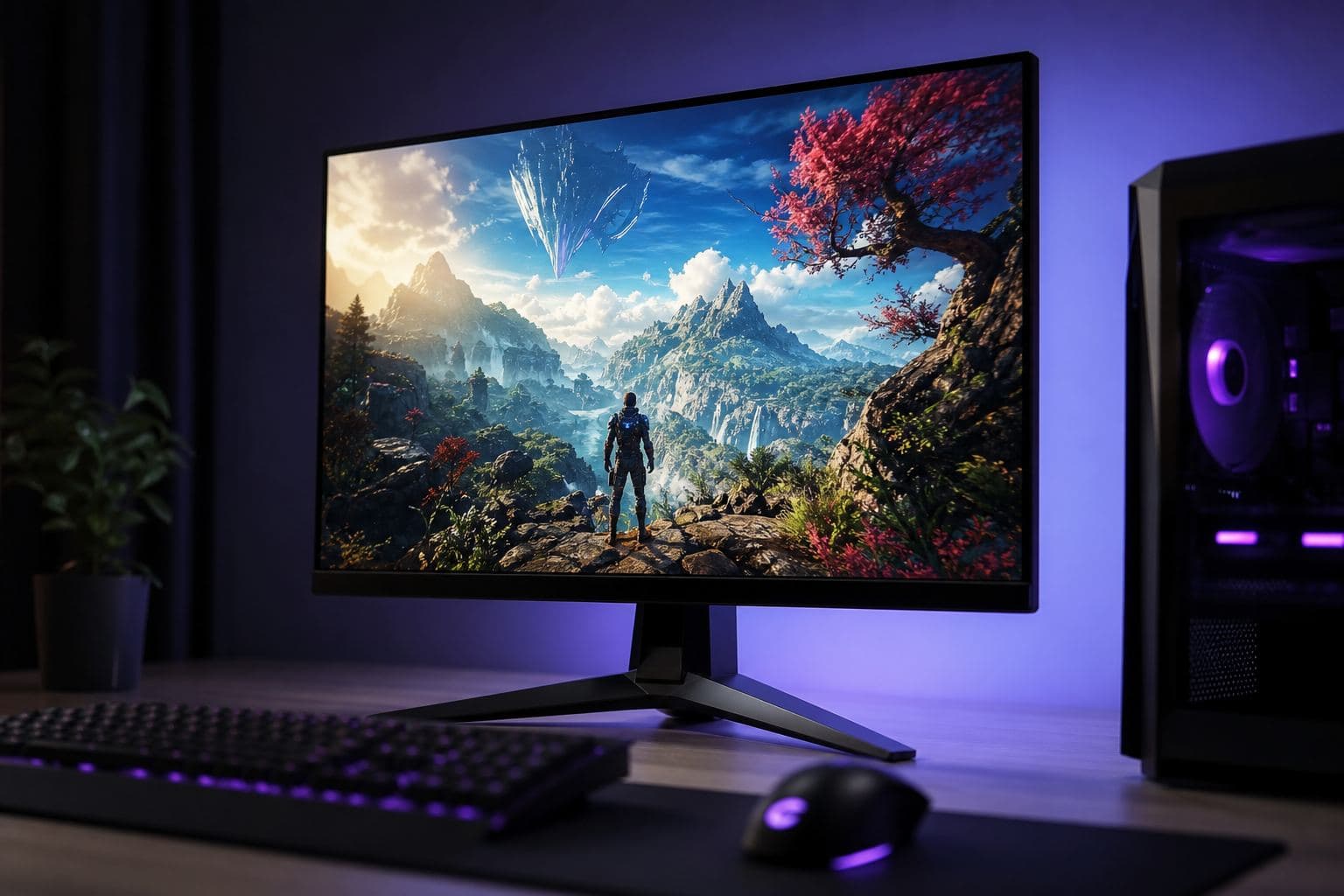
How to choose a gaming monitor: 1080p $180 vs 1440p $280
In October 2026, choosing a gaming monitor means locking resolution first, then the Hz your GPU can actually feed, then IPS or OLED. For most US PCs that is a 1080p 144 Hz IPS around $180–350, or a 1440p 165 Hz panel around $280–500 if the card can hold it. A $450 1440p 165 Hz IPS is wasted on a PC that averages 70 FPS. A $180 1080p 144 Hz panel is the right call for Valorant or CS2 on a midrange build. Below: size, FreeSync / G-Sync Compatible, ports, and Amazon.com / Newegg budgets so you do not overspend on Hz your GPU cannot fill. Match the screen to your tower in the PC4Games comparator, then size the PC with how to choose a gaming PC.
Find your ideal PC on PC4Games
We match your games and budget with prebuilt Amazon PCs to surface the best-fitting configs.
How it works
Add your games
Your Steam library or a manual pick — you're in control.
Set your budget
From €400 to €2,000, you decide how much to spend.
Compare PCs
Score, specs and Amazon link — everything to choose with confidence.
How do you choose a gaming monitor in 2026?
Lock resolution for your GPU, then the refresh rate you can actually feed, then the panel. In October 2026 that usually means a 1080p 144 Hz IPS around $180–350 for CS2 or Valorant, or a 1440p 165 Hz panel around $280–500 if the card can hold AAA. Brand comes last.
Choosing a gaming monitor is a method, not a brand hunt. Lock these three in order.
1. Resolution from your GPU and desk distance: 1080p for competitive FPS, 1440p for most AAA setups, 4K only with a strong card (RTX 4070 Super class or better).
2. Refresh rate your PC can hold: 144 Hz is the 2026 baseline; 240 Hz+ only if you already clear ~200 FPS in CS2, Valorant, or Fortnite Performance.
3. Panel for the look you want: IPS for value and colors, OLED for contrast and motion if the budget allows, VA if deep blacks matter more than peak motion clarity.
Then check DisplayPort, FreeSync Premium or G-Sync Compatible, stand ergonomics, and a budget that leaves room for the PC. Size the GPU first in the PC4Games comparator so the panel is not faster than the card.
Which gaming monitor fits your games?
Esports (CS2, Valorant, Fortnite) wants 1080p 144–240 Hz. Versatile AAA wants 1440p 144–165 Hz. Immersion and 4K need a stronger GPU and $450–1,000 for the panel. Match the row to your Steam library, not the marketing title.
Use this table to map profile to resolution / Hz to typical US street price (October 2026 on Amazon.com, Best Buy, Newegg). Prices move with sales; treat them as planning ranges.
| Your profile | Resolution / Hz | Panel and sync | Monitor budget | Matching PC |
|---|---|---|---|---|
| Esports (CS2, Valorant, Fortnite) | 1080p 144–240 Hz | Fast IPS, FreeSync / G-Sync Compatible | $180–350 | Gaming PC $500–$650 |
| Versatile AAA | 1440p 144–165 Hz | IPS or entry OLED, wide VRR | $280–500 | Gaming PC $800–$1,100 |
| Immersion / single-player | 1440p or 4K 120–144 Hz | OLED / Mini-LED, real HDR | $450–1,000 | Gaming PC $1,100+ |
| Max competitive | 1080p 240–360 Hz | Esports IPS, low input lag | $280–500 | Gaming PC $800 with a strong CPU |
Resolution: 1080p, 1440p or 4K?
1080p (Full HD) stays the smart pick for competitive play. It is easier to drive at very high frame rates on CS2, Valorant, and Fortnite Performance. If you want responsiveness on a budget gaming PC, start here.
1440p (QHD) is the 2026 sweet spot for most players: clearer image than 1080p, still realistic with an RTX 4060 / RX 7600 class GPU and above. Pair it with our 1440p gaming PC guide.
4K (UHD) is for immersion, creation, and productivity. Comfortable 4K gaming needs a stronger card (RTX 4070 Super class+) and ports that can carry high refresh (DisplayPort 1.4 or HDMI 2.1).
| Main use | Resolution | Indicative GPU | Typical monitor budget |
|---|---|---|---|
| Competitive FPS / esports | 1080p | GTX 1660 Super to RTX 4060 | $180–350 |
| Versatile AAA gaming | 1440p | RTX 4060 Ti / RX 7700 XT | $280–500 |
| Immersion / creation / 4K | 4K | RTX 4070 Super+ | $450–900 |
Refresh rate: 144 Hz, 165 Hz or 240 Hz?
Refresh rate (Hz) is how many frames the panel can show each second. 60–75 Hz is office gear. 120–165 Hz already feels smooth for modern games. 240 Hz+ is for competitive players who can feed those frames.
In 2026, 144 Hz is the baseline when learning how to choose a gaming monitor. Higher Hz only helps up to your real in-game FPS. Before you pay for 240 Hz, check your titles in the PC4Games comparator.
Simple rule: buy the Hz your GPU can average, not the biggest number on the box.
What response time and input lag should you look for?
For shooters, look for a low GtG response in independent reviews, not a marketing « 1 ms MPRT » sticker, and a panel with low input lag at your target Hz. A 240 Hz screen with high lag still feels sluggish in ranked play.
Response time (ms GtG) is how fast pixels change. Lower values cut ghosting in shooters and racing games. Prefer independent reviews over marketing « 1 ms MPRT » alone.
Input lag is the delay from click to on-screen motion. A high-Hz panel with high lag still feels sluggish in ranked play.
For competitive gaming, prioritize panels with consistently low lag in lab tests, then confirm FreeSync / G-Sync Compatible is enabled in the OSD and GPU control panel.
Panel types: IPS, VA, TN or OLED?
IPS remains the safest all-round choice in 2026: good colors, wide angles, strong value from roughly $200–450 for 144–165 Hz models.
VA wins on contrast and black depth for dark RPGs and movies. Motion can be a touch softer than a good IPS in fast pans.
TN is mostly a budget competitive niche: fast, but weak colors and viewing angles.
OLED / QD-OLED / Mini-LED is the premium lane: deep blacks, very fast response, convincing HDR. Budget more ($600–1,200 common for 27″ gaming OLEDs) and mind static HUDs over very long sessions.
Practical pick: well-tuned IPS for most buyers; OLED when immersion and motion clarity matter more than price.
Do you need FreeSync or G-Sync on a gaming monitor?
Yes. Adaptive sync (FreeSync Premium or G-Sync Compatible) cuts tearing when FPS fluctuate, without classic V-Sync latency. Most 2026 gaming monitors include one or both; confirm the VRR range covers your real FPS.
Adaptive sync (AMD FreeSync, NVIDIA G-Sync Compatible, HDMI / DisplayPort VRR) matches refresh to real FPS so tearing and stutter drop without classic V-Sync latency.
Most 2026 gaming monitors advertise FreeSync Premium or G-Sync Compatible and work fine with both GPU brands inside the stated VRR range (for example 48–144 Hz).
Before checkout, confirm the VRR range on the spec sheet and that your cable and port support it at your target resolution and Hz.
When is HDR worth paying for on a gaming monitor?
Pay for HDR on single-player and movies if the panel has DisplayHDR 600 / 1000 or real OLED brightness. Skip it for competitive FPS, and treat a lone « HDR Ready » or HDR400 badge as a weak implementation.
Real HDR needs brightness and dimming that marketing « HDR Ready » stickers rarely deliver. Look for meaningful certifications (DisplayHDR 600 / 1000) or OLED peak brightness, not HDR400 alone.
For pure competitive FPS, HDR is optional. For single-player immersion and movies, a strong HDR or OLED panel is a visible upgrade.
If the listing only says HDR without a VESA tier, assume a weak implementation and spend the money on Hz, IPS quality, or a better GPU instead.
DisplayPort or HDMI 2.1 for a gaming monitor?
Use DisplayPort 1.4 or newer for a desktop GPU: it is the reliable path to high refresh, high resolution, and VRR. HDMI 2.1 matters for 4K 120 Hz and consoles; HDMI 2.0 can bottleneck 1440p high Hz.
For a desktop PC, DisplayPort 1.4 (or newer) is still the most reliable path to high refresh, high resolution, and robust VRR.
HDMI 2.1 matters for 4K high refresh and console sharing. HDMI 2.0 can bottleneck 1440p high Hz or 4K 120 Hz depending on the model.
Prefer DisplayPort for the PC GPU, keep HDMI for a console or laptop. Always include a quality DP cable in the cart if the box does not ship one.
What size gaming monitor should you buy?
Buy 24–25 inches for 1080p competitive desks, 27 inches for 1440p, and 32 inches only if you sit farther back or go 4K. A large 1080p panel looks soft up close.
24–25 inches suits 1080p competitive desks. 27 inches is the default for 1440p. 32 inches works for 1440p if you sit farther back, or for 4K if you want denser pixels.
Avoid a huge 32″ 1080p panel: pixels become obvious up close. As size grows, increase viewing distance (about 24–32 inches / 60–80 cm for many 27″ setups).
If you also work or study on the same screen, height-adjustable stands and thin bezels matter as much as raw Hz.
Ultrawide and curved: who should buy them?
Ultrawide (21:9 / 32:9) expands FOV for racing, flight sims, and immersion, and helps productivity. Not every competitive title supports ultrawide cleanly.
Curves can feel more natural on larger panels by keeping edges at a similar distance. They do not magically raise FPS.
Before you buy ultrawide, check your main games for aspect-ratio support and remember the GPU load is higher than a same-height 16:9 panel.
What ergonomics matter on a gaming monitor?
Height, tilt, and a VESA mount matter more than RGB on long sessions. Flicker-Free and a sensible brightness setting help mixed work-and-play days more than a blue-light gimmick.
A stand with height, tilt, and preferably swivel/pivot reduces neck strain on long sessions. VESA mount support helps if you already own an arm.
Flicker-Free and low blue light modes help for mixed gaming + work days. They do not replace sensible brightness in a bright room.
Dual-monitor setups: match height and color temperature, or the secondary screen will feel wrong even if the primary is perfect.
What should you check before buying a gaming monitor?
Confirm resolution and Hz match your GPU in your real games, that FreeSync or G-Sync Compatible covers your FPS, and that DisplayPort is on the spec sheet. Leave budget for the tower: a $400 panel on a weak GPU is a waste.
Resolution and Hz match your GPU in your real games (comparator check done).
Panel type chosen on purpose (IPS value vs OLED premium), not because the title says « gaming ».
FreeSync Premium or G-Sync Compatible listed, with a VRR range that covers your FPS.
DisplayPort available for the PC; HDMI 2.1 only if you need 4K 120 or a console.
Stand ergonomics or VESA; return window noted (Amazon / Best Buy / Newegg policies differ).
Budget left for the tower: see best gaming PC 2026 if the PC still needs an upgrade.
Frequently asked questions
How to choose a gaming monitor?
Lock three things in order: resolution (1080p for competitive, 1440p for most AAA, 4K only with a strong card), then the Hz your GPU can feed (144 Hz baseline, 240 Hz if you hold about 200 FPS), then the panel (IPS for value, OLED for contrast). US street prices in October 2026: 1080p 144 Hz from about $180, 1440p 165 Hz from about $280. Confirm FreeSync or G-Sync Compatible and DisplayPort before you buy on Amazon or Newegg.
Which 144 Hz monitor should I buy?
Esports: 1080p 144–240 Hz IPS around $180–350. Versatile AAA: 27″ 1440p 144–165 Hz for about $280–500. Confirm your PC averages at least 144 FPS in your main games with the PC4Games comparator.
1080p or 1440p for gaming?
1080p for competitive FPS and maximum frame rate on a midrange GPU. 1440p for clearer AAA gaming when you have an RTX 4060 class card or better. Match the panel to the GPU, not the reverse.
Is 240 Hz worth it over 144 Hz?
Only if your PC already stays near 200 FPS in CS2, Valorant, or Fortnite Performance. Otherwise 144–165 Hz is the better spend and you should upgrade the GPU first.
IPS or OLED for a gaming monitor?
IPS is the versatile value pick for most players. OLED wins on blacks, motion clarity and HDR, at a higher price and with more care around static HUDs in long sessions.
Do I need FreeSync or G-Sync?
Yes. Adaptive sync (FreeSync Premium or G-Sync Compatible) cuts tearing when FPS fluctuate, without classic V-Sync latency. Most 2026 gaming monitors include one or both.
What size gaming monitor should I get?
24–25″ for 1080p competitive desks, 27″ for 1440p, 32″ for 1440p if you sit farther or for 4K. Avoid large 1080p panels up close.
How do I match a monitor to my gaming PC?
Choose the resolution and Hz your GPU can hold in your Steam library, then buy the panel. Use the PC4Games comparator to validate FPS targets before checkout.
Sources & methodology
How we wrote this guide
Resolution, refresh rate, ports and panel recommendations: PC4Games editorial synthesis for US shoppers (competitive, AAA and light creation, October 2026). Exact specs vary by model; verify manufacturer datasheets and current Amazon or Newegg listings before purchase.
An AI helps draft this article. Thomas Laize reviews it, checks official specs (Steam, vendors) and signs off on the recommendations.
- GPU ranges and monitor budgets aligned with PC4Games US-oriented tiers ($500–$1,100+).
- Ports and VRR based on DisplayPort 1.4 and HDMI 2.1 industry specs.
- No sponsored brand ranking: criteria first, usage second.
- Editorial update: October 14, 2026.
Sources
- VESA DisplayHDR
Monitor HDR certifications (HDR400, HDR600, etc.).
- HDMI.org: HDMI 2.1 specifications
Bandwidth and supported resolutions (4K 120 Hz).
- PC4Games methodology
How we structure budget guides and comparator logic.

Similar articles
 Buying tips14 min read
Which component should you upgrade first on an old gaming PC?
Old gaming PC: SSD, RAM, GPU or CPU first? Spot the bottleneck, compare upgrade vs new PC budgets, and know when to replace the whole machine. October 2026.
14 min readRead article Buying tips14 min read
GTA 6 news September 2026: Extended Look, Twitch, and pricing
GTA 6 Sept 2026: Extended Look on Netflix (Aug 27), Twitch outage, YouTube gameplay, official trailer, $79.99 pricing, console launch November 19.
14 min readRead article Buying tips28 min read
Best free PC games in 2026 (Steam, Epic, Riot)
Best free PC games 2026: 28 official F2P (Fortnite, CS2, Valorant…). US 1080p budgets $450–875, store links and a free PC picker. September 2026.
28 min readRead article Buying tips15 min read
How to choose a gaming PC in 2026 (US): method by player profile
Best gaming PC 2026: how to choose by FPS, 1440p, streaming, CPU/GPU/RAM and budget. US method with Amazon, Newegg and PC4Games.
15 min readRead article Buying tips12 min read
Is Pokémon Champions on PC in 2026?
Is Pokémon Champions on PC? No Steam or Windows client in September 2026. Switch, Switch 2, iOS, Android only. Emulator risks and safe download sources.
12 min readRead article- Buying tips14 min read
Upgrade a gaming PC in 2026: GPU first, then RAM
Upgrade a gaming PC in 2026: GPU first, then RAM or SSD. US parts $80–$350, socket/PSU checks, and when a new Amazon prebuilt wins.
14 min readRead article
PC4Games
Take action with the comparator: pick your games, budget, then compare PCs.


Comments
Loading…
Sign in or create an account to comment on this article.