

Guide
Fishing Inc PC requirements — what you actually need in 2026
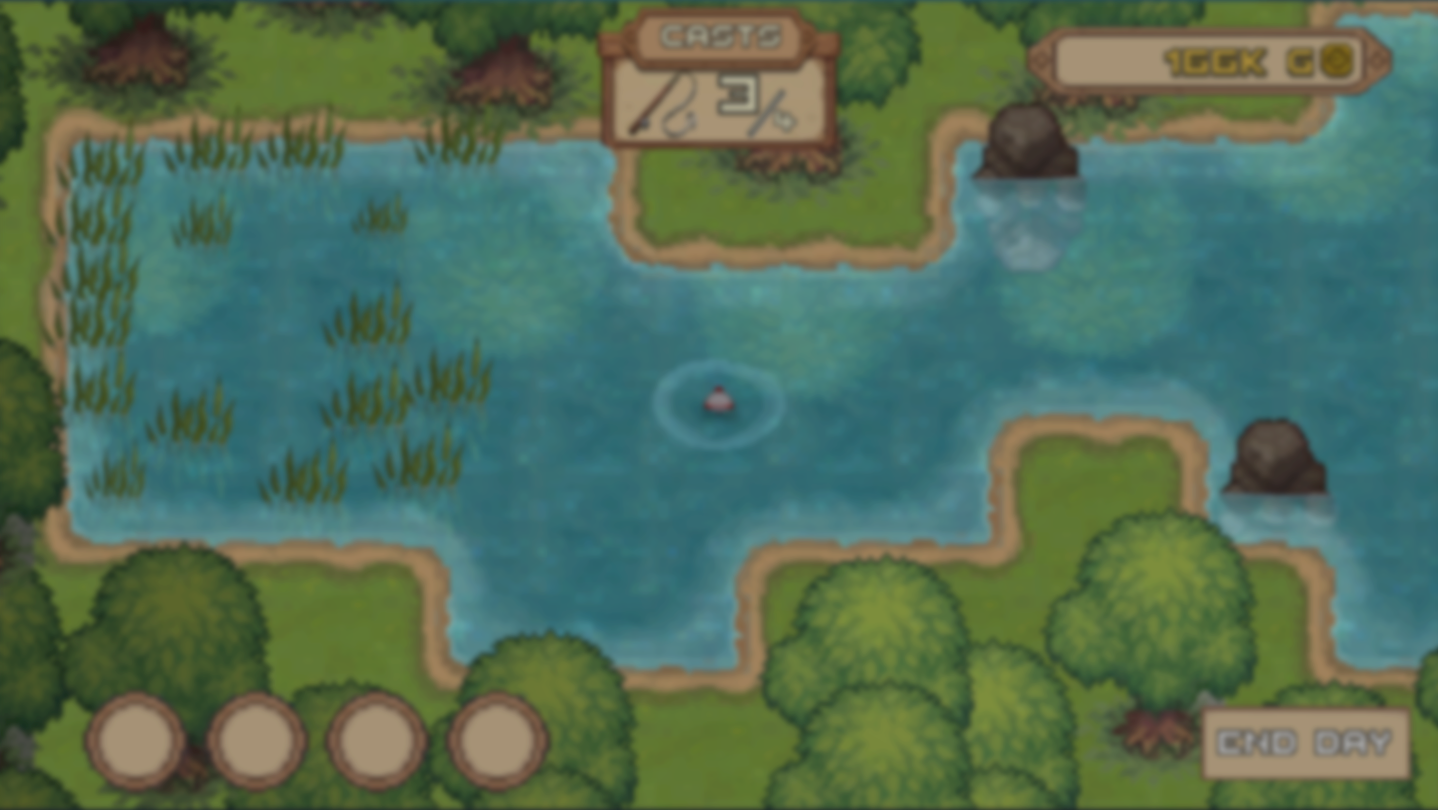
Searched fishing inc system requirements after a Steam bundle email or an incremental-games thread? Fishing Inc (BigBonk Studio, out April 14, 2026 on Steam — app 4126480) is a cozy incremental fishing clicker (casts, upgrades, Fish Log) — ~$4.99, not a 3D AAA sim. Bottom line: Steam lists dual-core 2.0 GHz, 2 GB RAM, 1 GB free space, Windows 10+, and no dedicated GPU. In July 2026, almost any 64-bit Windows PC from the last decade runs it. Do not build an $850–$1,250 RTX 4060 box for Fishing Inc alone — try your current machine first; budget $250–$600 only if you have no playable PC at all.
Find your ideal PC on PC4Games
We match your games and budget with prebuilt Amazon PCs to surface the best-fitting configs.
How it works
Add your games
Your Steam library or a manual pick — you're in control.
Set your budget
From €400 to €2,000, you decide how much to spend.
Compare PCs
Score, specs and Amazon link — everything to choose with confidence.
Official Steam specs (July 2026) — no recommended tier listed
BigBonk documents a minimum only on Windows — no separate recommended block. The game is Platinum on ProtonDB and Steam Deck Verified: proof it runs on modest hardware.
Before you price a Skytech or iBuyPower on Amazon: run your full Steam library through the PC4Games comparator if you also play heavier titles.
| Component | Minimum (Windows) | Notes |
|---|---|---|
| OS | Windows 10+ (64-bit) | macOS: Apple M1 minimum |
| CPU | Dual Core 2.0 GHz | No specific model — very low bar |
| RAM | 2 GB | Among the lowest on Steam in 2026 |
| GPU | Not specified | iGPU / entry card is enough |
| Storage | 1 GB available | Plan 3–5 GB with Steam + saves |
| Audio | Not required | No sound card listed |
Official specs vs real-world comfort in July 2026
On paper, 2 GB RAM and a dual-core CPU pass. In 2026, Windows 11 + Steam + Discord already eat 6–8 GB — the practical floor is 8 GB RAM (better: 16 GB), not an RTX 4060.
Fishing Inc is a 2D pixel idle (clicks, progression, upgrades): GPU load is negligible. Steam reviews show long sessions on Steam Deck and office laptops. Intel UHD, Radeon Vega, or a GT 1030 hits smooth 1080p without trying.
Leave 3–5 GB free on disk (game + Steam Cloud + patches), not just the 1 GB line item. An SSD speeds up Steam launches but is not critical like on a UE5 open world.
Do you need a gaming PC for Fishing Inc?
No — if your machine boots Windows 10/11 64-bit and the desktop feels responsive, Fishing Inc will almost certainly launch. Same hardware class as Cookie Clicker, Melvor Idle, or other BigBonk incrementals: optimized, lightweight, built to run everywhere.
A $220–$325 used office box (i3-10100 / Ryzen 3 3200G, 8–16 GB, 256 GB SSD, iGPU or GT 1030) is more than enough. An RTX 3060 or RTX 5060 will barely move FPS — you would be paying for your AAA library, not a $5 clicker.
On laptops: any recent ultrabook (Ryzen 5 5500U, Core i5-1235U) exceeds requirements. Watch 4 GB soldered RAM — too tight for modern Windows even though Steam says 2 GB.
Fishing Inc vs Melvor Idle, Cookie Clicker & cozy incrementals
Melvor Idle and Cookie Clicker share the same hardware story: 2D, tiny VRAM footprint, CPU mostly idle between clicks. If one runs, Fishing Inc runs.
Similar to other BigBonk titles in the 2026 incremental bundle (Slots & Diapers, Loot Loop…): near-zero GPU stress, no ray tracing, no open 3D world.
Do not confuse this with Call of the Wild: The Angler or a 3D fishing sim — Fishing Inc is a cozy clicker/strategy game, not a reason to buy an RTX 4070.
Honest US budget tiers ($0–$550)
July 2026 ballparks on Amazon.com, Newegg, and Facebook Marketplace — before sales tax, not guaranteed checkout totals. Tiers assume you play other Steam games; Fishing Inc alone does not justify the top row.
| Budget | GPU / CPU | What you get |
|---|---|---|
| $0 (upgrade) | Current Win10+ PC with 8 GB+ RAM | Try first — often enough with no purchase |
| $250–$350 | i3 / Ryzen 3 + iGPU or GT 1030, 8–16 GB, SSD | Smooth 1080p, Windows + multitask headroom |
| $475–$600 | GTX 1650 / RX 570 + Ryzen 5 3600, 16 GB | Massive overkill for Fishing Inc; fine for mid indies |
Common mistakes when buying a PC « for Fishing Inc »
Mistake 1 — copying generic RTX 4060 / 4070 Super guides. The old PC4Games « upcoming » template quoted $850–$1,900 — wrong for Fishing Inc. Steam says 2 GB RAM, not 32 GB DDR5.
Mistake 2 — 4 GB RAM on a new PC. Steam minimum is 2 GB; in 2026, 8 GB is the realistic Windows floor, 16 GB with Chrome + Discord in the background.
Mistake 3 — buying a GPU for this game alone. Fishing Inc does not use 12 GB VRAM or heavy ray tracing. Fix RAM + SSD if Windows stutters — not a RTX 5070.
Mistake 4 — confusing cozy fishing clicker with 3D sim. This title does not justify a 1440p 144 Hz monitor upgrade unless you also play demanding games.
Pre-buy checklist
Test on your current PC first: Windows 10+ 64-bit and 8 GB+ RAM should launch Fishing Inc without upgrades.
If buying new or used: 8 GB RAM minimum (16 GB recommended), 256 GB+ SSD, recent dual-core+ CPU — $220–$425 is enough for this game.
If you also play 2026 AAA (GTA 6, Windrose UE5…), scale up for those titles, not Fishing Inc. Filter your full wishlist in the PC4Games comparator.
Official specs: Fishing Inc on Steam. Related: cheap gaming PC 2026, how much RAM for gaming.
Frequently asked questions
What are the official Fishing Inc PC requirements in 2026?
On Steam (released April 14, 2026): Windows 10+ 64-bit, dual-core 2.0 GHz, 2 GB RAM, 1 GB storage, no dedicated GPU listed. No separate Windows recommended tier. See the table in this guide.
What is the minimum PC to run Fishing Inc?
Official: 2 GB RAM, dual-core. Comfort 2026: 8–16 GB RAM, any GPU or iGPU, 3–5 GB free disk. A GTX 1650 is already overkill.
Can Fishing Inc run on a budget PC?
Yes — one of the most accessible PC games in 2026. A $220–$325 used box (i3/Ryzen 3, 8–16 GB, SSD) runs smooth 1080p. Try your current PC first — often $0 upgrade.
What budget PC for Fishing Inc in 2026?
For this game alone: $0–$425 (your current PC often works). $425–$550 if you want mid-tier indies too. Pointless to target $850–$1,250 (RTX 4060/4070) only for Fishing Inc.
What GPU for Fishing Inc?
Steam lists no GPU: iGPU (UHD, Vega) or GT 1030 is enough. GTX 1650 / RTX 4060 will barely change FPS — invest in RAM and SSD if Windows lags, not a high-end card.
2 GB or 16 GB RAM for Fishing Inc?
Steam says 2 GB minimum. In practice: 8 GB for Windows alone, 16 GB with Discord/Chrome open. The bottleneck is not VRAM.
Does Fishing Inc run on Steam Deck?
Yes — Steam Deck Verified, Platinum on ProtonDB. Proof it runs on modest portable hardware.
Should I upgrade my PC for Fishing Inc?
Probably no if your PC is under 10 years old with 8 GB+ RAM. Buy the game (~$5) and test before any build. Upgrade only if you target other demanding games too.
How much disk space does Fishing Inc need?
Steam: 1 GB available. Plan 3–5 GB with Steam Cloud saves and updates. Tiny install vs AAA titles (50–150 GB).
Fishing Inc or a new $1,100 gaming PC?
Buy the game (~$5) and test on your current PC before financing hardware. Reserve $1,100+ for a build that covers your full Steam library, not this incremental clicker — use the PC4Games comparator.
Sources & methodology
How we wrote this guide
PC4Games Fishing Inc config guide (July 2026): official Steam specs app 4126480, real-world comfort, budgets — fixes the generic « upcoming » template (RTX 4070 mismatch).
- Steam minimum app 4126480 (July 2026) — 2 GB RAM, no GPU listed, 2D incremental game.
- ProtonDB Platinum + Steam Deck Verified — modest hardware validated.
- Budget tiers aligned with light indies, not AAA 1080p/1440p templates.
Sources
- Fishing Inc — Steam (app 4126480)
Official specs and release date.
- ProtonDB — Fishing Inc
Linux / Steam Deck compatibility.
- PC4Games methodology

Similar articles
 Builds & budgets16 min read
WoW Forever system requirements: what PC do you need in 2026?
WoW Forever system requirements (Sep 2026): no official sheet yet. Aim SSD, 16 GB RAM, 4–6-core CPU, GTX 1650+. US budgets $300–$475 to $900–$1,150.
16 min readRead article Builds & budgets12 min read
Can your SSD swallow CONTROL Resonant before your GPU does?
Dylan in Manhattan needs an SSD, 16 GB, and at least a GTX 1070 / Arc A580. Rec: RTX 3060 Ti. US towers about $700–$1,700 (Sep 2026).
12 min readRead article Builds & budgets13 min read
What PC do you need for Silent Hill Townfall after September 23, 2026?
What PC for Silent Hill Townfall? Out since Sep 23, 2026. Steam RTX 2060 Super to 3080, 16–32 GB, Win11, 75 GB. Official 30 fps US towers: $800 to $1,800.
13 min readRead article Builds & budgets13 min read
What PC do you need for NBA 2K27 after September 3, 2026?
What PC for NBA 2K27? Out since Sep 3, 2026. Steam GTX 1060 5 GB to RTX 2070, 110 GB SSD, AVX2. Park and The City US towers: $550 to $1,400.
13 min readRead article Builds & budgets14 min read
What PC do you need for FIFA 27 in September 2026?
What PC for FIFA 27? EA specs from GTX 1050 Ti to RTX 4070, Ultimate on Sep 18, launch Sep 25. Tower budgets about $450–$1,600.
14 min readRead article Builds & budgets14 min read
NoPixel V and GTA RP FiveM: which PC and tips in 2026?
NoPixel V (Rockstar closed beta live) and GTA RP FiveM: which PC? 6-core CPU, 16 GB RAM, SSD, $700–$1,300-class builds (Sep 2026).
14 min readRead article
PC4Games
Take action with the comparator: pick your games, budget, then compare PCs.


Comments
Loading…
Sign in or create an account to comment on this article.