

Guide
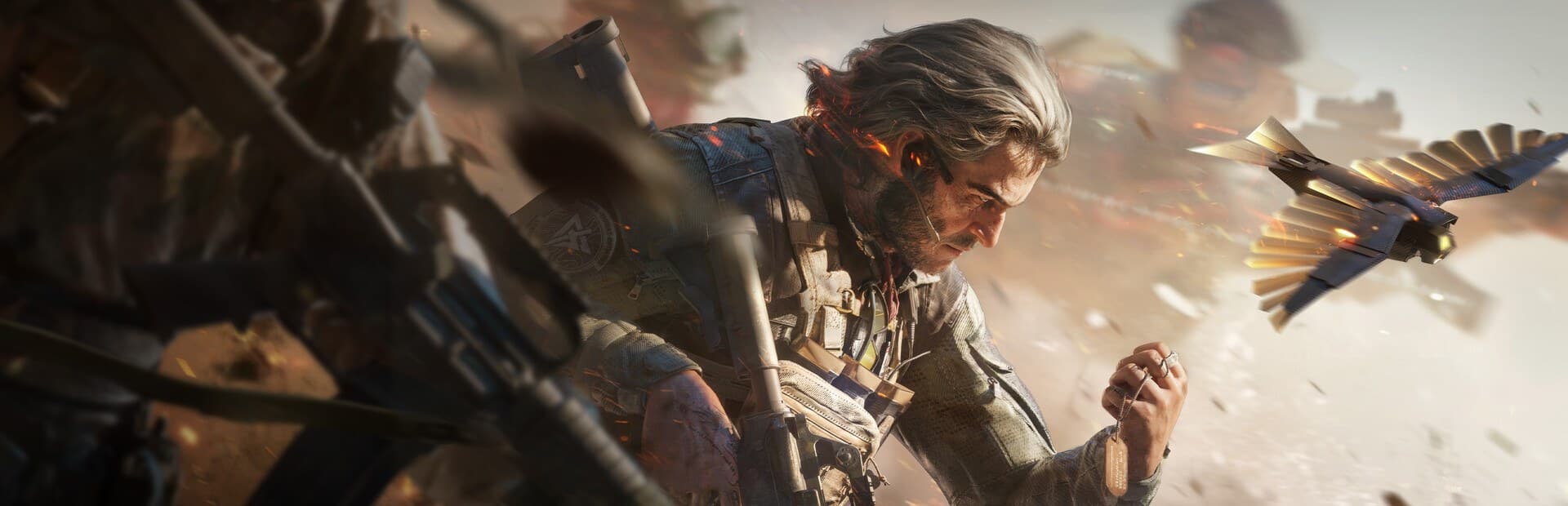
Best PC for Delta Force in 2026 (Season Reorientation)
Want a PC that runs Delta Force, including Season Reorientation (S11, live since September 8, 2026), without hitching through Warfare? Start with 16 GB RAM and an SSD, not a flashy GPU badge. Steam’s 8 GB minimum can launch the client, but with the launcher, anti-cheat, and Discord open, frame time falls apart fast. In September 2026, most US players are happiest in the $600–$875 tower band (RTX 5060 class, 16 GB, 1 TB NVMe). Use the PC4Games comparator to shortlist Amazon/Newegg builds with estimated FPS.
Find your ideal PC on PC4Games
We match your games and budget with prebuilt Amazon PCs to surface the best-fitting configs.
How it works
Add your games
Your Steam library or a manual pick — you're in control.
Set your budget
From €400 to €2,000, you decide how much to spend.
Compare PCs
Score, specs and Amazon link — everything to choose with confidence.
Steam specs vs what actually feels good in Delta Force
Delta Force (TiMi / Team Jade, Steam app 2507950) is free-to-play and lighter than a UE5 campaign epic, but Warfare fills maps with players, particles, and streaming textures. That is why community stutter reports often blame the GPU when RAM or a hard drive is the real bottleneck.
Treat Steam’s minimum as a launch floor, not a comfort target. PC4Games’ buying floor for the US in September 2026 is 16 GB dual-channel + SSD + GTX 1060-class or better. Climb the GPU only after those two are fixed.
Cross-check live listings on the comparator with Delta Force selected: pick desktop or laptop, set a budget, and compare estimated FPS plus review signals before you checkout.
| Profile | Steam (official) | PC4Games comfort target |
|---|---|---|
| RAM | 8 GB minimum | 16 GB dual-channel (32 GB if you stream) |
| Storage | SSD recommended in practice | NVMe with 80+ GB free for install + patches |
| GPU 1080p | GTX 1060-class playable | RTX 5060 / used 3060 Ti for stable Warfare |
| GPU 1440p | Not a Steam table row | RTX 5060 Ti / RX 9060 XT 16 GB + 32 GB RAM |
| CPU | Older quad-core can launch | Ryzen 5 5600 / i5-12400F or newer |
Season Reorientation (S11): what it means for your PC
Season Reorientation went live on September 8, 2026 (no-downtime update from Team Jade): new Support operator Rover, Warfare map The Mog, Layali Grove refresh, Fishing mode, weapons, and balance passes. The official cinematic trailer sets the mood.
Hardware-wise, 16 GB dual-channel and an SSD with free space still matter most: season patches and shader caches grow the install folder, and denser Warfare maps punish hitching. After a big update, rebuild shaders and free NVMe space before blaming only the GPU.
Season mission progress resets at the flip; stash and account level carry over. Budget a download window on patch day so you are not judging FPS mid-update.
Under $600: bare minimum that still makes sense
At this price you are shopping used or refurbished towers on Amazon, Newegg, or Marketplace. That is fine for Delta Force: the game is not a 4K showcase. Aim for a GTX 1060-class GPU or better, 16 GB RAM (do not keep 8 GB to save ~$100), and an SSD. Even a modest SATA drive beats a full HDD.
Reject listings that hide 8 GB + HDD behind a « gaming PC » title. Those two cuts hurt Delta Force more than buying a one-generation-older GPU.
From $600 to $875: the sweet spot for most players
This is the best value band for playing Delta Force in the US right now. Target a Ryzen 5 5600 or i5-12400F, an RTX 5060 (or a clean used RTX 3060 Ti / RX 6700 XT), 16 GB RAM, and a 1 TB NVMe.
You will sit well above Steam’s recommended comfort for 1080p and can usually jump into Warfare without constant hitching. Prefer dual-channel kits (2×8 GB). Shortlist with the comparator.
| Part | Target | Why it matters |
|---|---|---|
| CPU | Ryzen 5 5600 / i5-12400F | 1% lows when the map fills |
| GPU | RTX 5060 or used 3060 Ti | 1080p headroom without overspend |
| RAM | 16 GB dual-channel | Discord + anti-cheat + launcher |
| Storage | 1 TB NVMe | Install, shaders, season patches |
From $1,025 to $1,425: when you want solid 1440p
Here you enter comfortable 1440p. Move to a Ryzen 5 7600 or i5-13400F, an RTX 5060 Ti or RX 9060 XT 16 GB, and try to hit 32 GB RAM instead of 16.
At 1440p, CPU and RAM stop the worst stutters when the map packs with players. The GPU alone does not.
Above $1,525: competitive play or streaming
This is where competitive refresh rates or a creator workflow become realistic. Aim for an RTX 5070 or RX 9070, 32 GB RAM (more if you edit on the side), and a fast NVMe.
You can stream and record Delta Force without collapsing FPS if NVENC is not fighting a starved RAM pool. Beyond this band you mostly pay for 4K or quieter multitasking.
You already own a PC: upgrade order that actually helps
If Delta Force already stutters, upgrade in this order: RAM → SSD → GPU. A 2×8 GB kit is usually the cheapest clear win on 8 GB with Discord open.
Next, move the install off any HDD. Upgrade the GPU last once RAM and storage are sorted.
New, refurbished, or used for Delta Force?
For this title, used and refurbished make sense under $875: a used RTX 3060 Ti or RX 6700 XT covers real 1080p needs.
Above $1,025, lean new, mainly for warranty on a pricier card. Verify dual-channel RAM, SSD free space, and Steam on the fast drive, then run the comparator.
Frequently asked questions
What’s the minimum PC budget for Delta Force you won’t regret?
Around $575–$600 before tax in the US, as long as you keep 16 GB RAM and an SSD. Cheaper towers often ship with 8 GB or a hard drive: they launch Delta Force, but you’ll likely upgrade within months.
Does Season Reorientation change the PC you need?
Season Reorientation (S11) went live on September 8, 2026: new Support operator Rover, Warfare map The Mog, Layali Grove refresh, Fishing mode, plus weapons and balance. Hardware-wise it does not replace the basics: 16 GB RAM and an SSD with free space still come first, because season patches and shader caches grow the install folder fast. The official cinematic trailer sets the mood for the update.
What are the Delta Force PC requirements in 2026?
Steam’s floor can launch on 8 GB RAM, but comfortable play needs 16 GB dual-channel, an SSD, and at least a GTX 1060-class GPU for 1080p. For 1440p, plan an RTX 5060 Ti / RX 9060 XT class card and ideally 32 GB RAM.
Laptop or desktop for Delta Force?
A desktop still wins on performance per dollar at the same budget. A laptop is fine if you need mobility: aim for a dedicated GPU at least GTX 1060-class, 16 GB RAM, and play plugged in to avoid FPS drops.
Prebuilt or build it yourself?
Prebuilts are simpler and often well priced on Amazon.com or Newegg for this tier. Building yourself makes sense if you want exact parts or reuse components, especially to lock in 16 GB dual-channel and a real SSD.
Should you wait for a sale before buying?
If your current PC roughly holds up (16 GB, SSD, GPU near Steam recommended), waiting for a price drop is fine. If you’re stuck on 8 GB RAM or a full hard drive, waiting costs more frustration in Delta Force than it saves.
Why does Delta Force lag, freeze, or stutter on PC?
Common complaints are micro-freezes in Warfare when the map fills, texture pop-in, and FPS dips after season patches. Often it is not “GPU too weak” first: 8 GB RAM with Discord + launcher + anti-cheat saturates; an HDD stutters texture streaming; shader caches rebuild after patches. Get 16 GB + SSD before blaming only the GPU.
What should I upgrade first if Delta Force already stutters?
RAM first if you’re on 8 GB (a 2×8 GB kit is often the clearest gain). Then an SSD if you’re still on a hard drive. GPU last, only if you want more FPS or 1440p once RAM and SSD are sorted.
Is 16 GB RAM enough for Delta Force with Discord?
Yes for most players. Steam’s 8 GB minimum launches the game, but with Discord, the launcher, and anti-cheat it saturates fast. Move to 32 GB mainly if you stream or record at the same time.
Do I really need an SSD for Delta Force?
Yes if you want to avoid heavy texture issues and long loads. Plenty of players blame the GPU while the game is still on a hard drive. Leave free space too: install size and season patches grow the folder quickly.
Sources & methodology
How we wrote this guide
PC4Games Delta Force buying guide (updated September 15, 2026). Recommendations cross-checked against the official Steam page and US street prices on Amazon.com / Newegg. Re-checked after major game updates. Budgets are indicative before sales tax.
An AI helps draft this article. Thomas Laize reviews it, checks official specs (Steam, vendors) and signs off on the recommendations.
- Page angle: buying advice (what to get, spend order), not a specs dump alone.
- Practical priority: 16 GB dual-channel + SSD before climbing the GPU ladder.
- This URL owns the “what PC to buy for Delta Force” intent (not a generic FPS hub).

Similar articles
 Builds & budgets12 min read
GTA 6 PC requirements in 2026
GTA 6 has no official PC specs as of October 2026. Q1 2027 PC rumor, projected VRAM/RAM/SSD, and US Amazon/Newegg budgets.
12 min readRead article Builds & budgets12 min read
VR PC requirements: Quest 3 PCVR, SteamVR, and what GPU you need
Meta Quest 3 PCVR: RTX 4060 floor for 90 Hz SteamVR. Alyx and PSVR2 want RTX 4070 Super, 32 GB RAM. Air Link needs Wi-Fi 6E. US towers from $925. Oct 2026.
12 min readRead article Builds & budgets9 min read
Minecraft PC requirements: how much RAM for Java, Bedrock, and shaders?
How much RAM for Minecraft? 16 GB for Java with Discord. Mojang: 4–8 GB; shaders need GTX 1660+. Java vs Bedrock by rez. US from $475–$600. Oct 2026.
9 min readRead article Builds & budgets10 min read
Dead by Daylight PC requirements: how much GB and what specs?
How many GB is Dead by Daylight? About 50–60 GB on SSD. Steam min GTX 760 / 8 GB RAM; comfort 2026: GTX 1650+, 16 GB. US builds $400–$800. Oct 2026.
10 min readRead article Builds & budgets9 min read
ARC Raiders PC requirements: do you need an SSD, and how much GB?
Does ARC Raiders need an SSD? Yes in practice. ~33 GB install (plan 50 GB free). Steam min 12 GB RAM, comfort 16 GB. US from $700–$875. Oct 2026.
9 min readRead article Builds & budgets8 min read
League of Legends PC requirements: minimum, recommended, and ranked specs
LoL official min: DX11 GPU, 2 GB RAM, 16 GB disk. Ranked comfort: GTX 1650, 16 GB RAM, ~22 GB SSD. Win 11 needs TPM 2.0. US from $475–$600. Oct 2026.
8 min readRead article
PC4Games
Take action with the comparator: pick your games, budget, then compare PCs.


Comments
Loading…
Sign in or create an account to comment on this article.