Rocket League cover art – recommended PC configuration

Sport / Arcade

Updated July 2026

Rocket League PC 2026: min and recommended specs

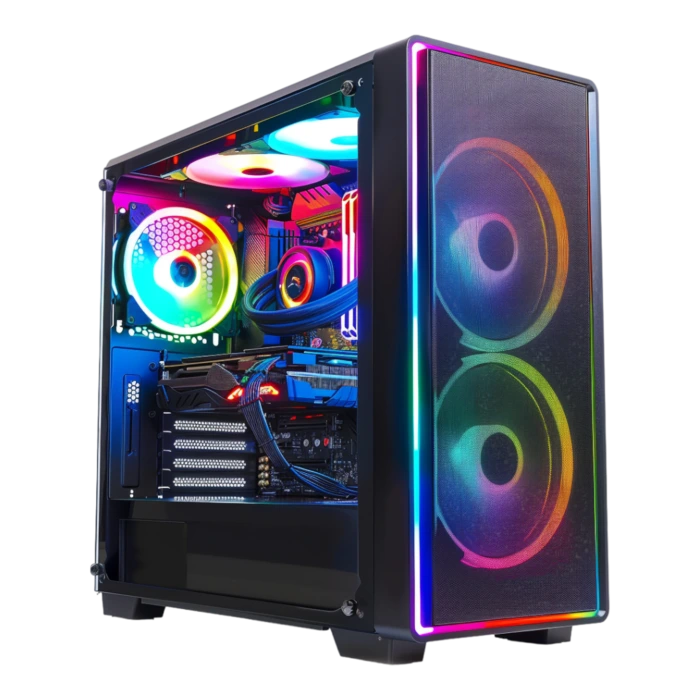
Rocket League for PC (Psyonix / Epic Games, free): official requirements ~20 GB, paper-minimum GTX 760 — in practice GTX 1650 and 8–16 GB RAM for smooth 1080p, GTX 1660 Super / RX 6500 XT for locked 144 FPS ranked. PC4Games budgets: $425–$550 (casual), $650–$875 (competitive 144 Hz).

Which PC for Rocket League?

  • Minimum setup: NVIDIA GTX 760 / AMD Radeon HD 7950 / Intel HD Graphics 630, 4 GB, ~20 GB (base Epic client).
  • For smooth 1080p: target a PC around $325 – $425.
  • For high 1440p: target $425 – $550 (NVIDIA GTX 1060 / AMD RX 570 (GTX 1660 Super / RX 6500 XT).
  • For comfortable 4K: target $550 – $650 and above.
  • Best price-to-FPS value in 2026: the $425 – $550 tier.

Rocket League on PC: hardware guide and performance

Searching rocket league pc requirements, rocket league system requirements, or pc rocket league build advice? Rocket League (Psyonix / Epic Games) is free on PC through the Epic Games Launcher — not Steam for new installs. It runs on Unreal Engine 3 and remains one of the most CPU/GPU-efficient competitive games in 2026, but ranked 1v1 and 2v2 reward frame rate and input latency more than cinematic graphics.

Direct answer: for stable 1080p at 60+ FPS with Discord open, a $425–$550 PC with a GTX 1650 / RX 6500 XT, 8–16 GB RAM, and an SSD is enough. For 144–240 FPS with headroom in Champion / Grand Champion lobbies, target $650–$875 (GTX 1660 Super / RX 6600 class or newer, 16 GB dual-channel RAM, 144 Hz monitor). Epic's paper minimum (GTX 760, 4 GB RAM) boots the game — it is not what most players want for online ranked in 2026.

Official Epic Games minimum: Windows 10 64-bit, Intel Core i5-2400 / AMD FX-6300, 4 GB RAM, NVIDIA GTX 760 / AMD HD 7950 / Intel HD 630, ~20 GB storage, DirectX 11. Recommended: i5-6600K / Ryzen 3 3100, 8 GB RAM (16 GB with Discord + browser), GTX 1060 / RX 570. These rows are unchanged for years because the client is lightweight — your real bottleneck is usually ping, not VRAM.

Storage: base install ~20 GB on Epic; with patches and shader cache, keep 30–40 GB free on an SSD. Loading into a private match or free play is noticeably faster on NVMe than on a 5400 RPM HDD — irrelevant for car physics, painful between training sessions.

Competitive settings: most high-level players use Performance or High (not Cinematic), disable depth of field and motion blur, cap FPS only if you suffer screen tearing without G-Sync/FreeSync. A wired Ethernet or solid 5 GHz Wi-Fi beats upgrading from a GTX 1660 to an RTX 4070 when your ping spikes.

You do not need a $1,500 PC for Rocket League. Prioritize a recent 4-core CPU, stable FPS, and a 144 Hz panel before chasing ray tracing or 4K. Specs table, budget tiers, Amazon picks, and FAQ below — use the PC4Games comparator if you also play heavier titles (Fortnite, CS2, GTA V).

PC4Games resources for buying a PC

Guides, methodology and data beyond this game page.

Minimum and recommended PC specs for Rocket League (Epic Games)

ComponentMinimum requirementsRecommended requirements
ProcessorIntel Core i5-2400 / AMD FX-6300 (2.5 GHz dual-core equivalent)Intel Core i5-6600K / AMD Ryzen 3 3100 (modern 4-core+ for 144 FPS)
RAM4 GB8 GB (16 GB with Discord, browser, or streaming)
Graphics cardNVIDIA GTX 760 / AMD Radeon HD 7950 / Intel HD Graphics 630NVIDIA GTX 1060 / AMD RX 570 (GTX 1660 Super / RX 6500 XT for 144 FPS)
Storage~20 GB (base Epic client)NVMe SSD with 40 GB+ free (game + Epic cache)
Operating systemWindows 10 64-bitWindows 10 / 11 64-bit
DirectXDirectX 11DirectX 11
NetworkBroadband internet (online-only game)Low-latency connection (<50 ms to region); Ethernet preferred

PC4Games Comparator

Free

Find your ideal PC on PC4Games

We match your games and budget with prebuilt Amazon PCs to surface the best-fitting configs.

How it works

  1. Add your games

    Your Steam library or a manual pick — you're in control.

  2. Set your budget

    From €400 to €2,000, you decide how much to spend.

  3. Compare PCs

    Score, specs and Amazon link — everything to choose with confidence.

Which PC for Rocket League at 144 Hz?

For Rocket League on PC at stable 1080p 60 FPS, a $425–$550 PC with a GTX 1650 and SSD is plenty. For 144–240 FPS ranked with Discord and a 144 Hz monitor, target $650–$875 — you do not need an RTX 4070; a GTX 1660 Super / RX 6600 and 16 GB RAM are the sensible ceiling for this title.

Frequently asked questions about Rocket League

rocket league pc requirements

Rocket League PC requirements on Epic Games: minimum i5-2400 / FX-6300, 4 GB RAM, GTX 760 / HD 7950, ~20 GB disk, Windows 10, DirectX 11. Comfortable 2026 play: 8–16 GB RAM, GTX 1650+, SSD, and stable internet — ranked is online-only.

rocket league system requirements

Rocket League system requirements match Epic's store page. Recommended: GTX 1060 / RX 570, 8 GB RAM, i5-6600K / Ryzen 3 3100. For locked 144 FPS in ranked: GTX 1660 Super / RX 6500 XT, 16 GB RAM, 144 Hz display, game on SSD.

Rocket League for PC — what specs for locked 144 FPS?

Aim for GTX 1660 Super / RX 6500 XT (or RTX 3050 / RX 6600), a modern 4-core+ CPU (Ryzen 5 3600 / i5-12400F class), 16 GB dual-channel RAM, and an SSD. Disable heavy post-processing; use Performance or High. A 144 Hz monitor is mandatory — 200 FPS on a 60 Hz panel wastes the advantage.

pc rocket league — can my PC run it?

Almost any PC with a dedicated GPU from the last decade runs Rocket League. Epic's minimum is very low; for smooth online play, a $425–$550 PC (GTX 1650, 8 GB RAM, SSD) is the practical floor. Intel UHD / Vega iGPU only works at 720p–1080p Low with FPS dips in split-screen replays.

How many GB is Rocket League on PC?

The Epic client lists ~20 GB for a fresh install. After updates and cache, budget 25–35 GB total. Keep 30–40 GB free on an SSD to avoid storage-related stutter when queuing between matches.

How much RAM does Rocket League need?

Official minimum 4 GB; recommended 8 GB. With Discord, a browser, and Epic overlay, 16 GB dual-channel is the 2026 sweet spot. The game itself is not RAM-heavy — multitasking is.

Is Rocket League on Steam?

Rocket League left Steam for Epic Games Store in 2020. New players install via Epic Games Launcher (free). Legacy Steam copies still launch for some accounts, but purchases and updates go through Epic. PC specs are identical either way.

Rocket League Epic Games PC download size

Epic lists ~20 GB download. First launch may compile shaders — allow extra time and disk space. Install on SSD: kickoff loads and training map transitions are much faster than on HDD.

What internet speed for Rocket League?

Rocket League is online-only — no offline bots in ranked. 10 Mbps download is a floor; ping under 50 ms to your server region matters more than raw bandwidth. Use Ethernet or 5 GHz Wi-Fi; avoid VPNs and crowded 2.4 GHz networks during ranked sessions.

Best PC budget for Rocket League competitive?

Casual 1080p 60 FPS: $425–$550. Ranked 144–240 FPS: $650–$875 with a 144 Hz monitor. Spending $1,100+ on an RTX 4070 does not improve flip resets — invest in monitor refresh rate and network stability first.

Does Rocket League support 240 Hz or 360 Hz monitors?

Yes — the client can run 240+ FPS on mid-range hardware if settings are tuned. You need a 240 Hz panel and a GPU that stays above that cap (GTX 1660 Super minimum for consistency; RTX 3060 / RX 6600 for headroom with Discord). Enable fullscreen or borderless with the highest refresh rate in Windows display settings.

Players of Rocket League also play…